Buy kidsroom.eu ?
We are moving the project
kidsroom.eu .
Are you interested in purchasing the domain
kidsroom.eu ?
domain@kv-gmbh.de · 0541-91531010
Buy kidsroom.eu ?
Is the lighting of the Telekom Speedport Smart router correct?
The Telekom Speedport Smart router has LED lights that indicate the status of the device. The lights typically show power, internet connection, and other important information. If all the lights are on and stable, then the lighting of the router is correct. However, if any of the lights are blinking or off, it may indicate an issue with the router's connection or setup. It is recommended to consult the user manual or contact customer support for further assistance. **
Why is the online light on the router not lighting up?
If the online light on the router is not lighting up, it could indicate a few potential issues. It may be due to a problem with the internet connection, such as an outage from the service provider or a loose connection between the router and the modem. It could also be a sign of a malfunctioning router or a need for a firmware update. Troubleshooting steps could include checking the internet connection, power cycling the router, and ensuring all cables are securely connected. **


Similar search terms for Router
Top-Angebote
Products related to Router:
-
BT Smart Hub Router - BlackDescription The BT Smart Hub Router provides wireless networking in a black design for home users who need a hub for connecting devices. It is designed for people looking for a compact router with support for established wireless standards and a stated speed of up to 300 Mbits. Supporting 802.11N, 802.11A and 802.11B wireless standards, the router offers a range of up to 300 m through doors and up to 500 m outside doors, according to the supplied product information. Its dimensions are 13.0 x 11.0 x 20.0 cm (H x W x L), making its physical size clear when planning placement. An essential addition for home networking setups requiring a BT wireless hub with broad stated range and standard wireless connectivity.56,99 £*Shipping: 0,00 £Secure redirect to the provider
-
Freud Carbide Chamfer Router BitBrand Name: Freud Overall Diameter: 1-11/32 in. Radius: 1-11/32 in. Overall Length: 2-3/16 in. Material: Carbide Style: Chamfer Product Type: Router Bit Usage: Composite Materials and Wood Packaging Type: Carded Number in Package: 1 pc.40,49 $*Shipping: 0,00 $Secure redirect to the provider
-
All Categories Goods Modern Floating Shelf Wall Mounted Storage Rack For Router & TV Components Modern Floating Shelf Wall Mounted Storage Rack For Router & TV ComponentsImagine a clutterfree entertainment area where your devices look organized and stylish. The Modern Floating Shelf Wall Mounted Storage Rack is designed for homeowners, renters, and tech lovers who want tidy spaces without bulky furniture. This...69,97 $*Shipping: 0,00 $Secure redirect to the provider
-
Netgear Nighthawk WiFi 6E Router RAXE500Experience next-generation wireless performance with the NETGEAR Nighthawk RAXE500 AXE11000 Tri-Band WiFi 6E Router. Designed for demanding home networks, gaming, streaming and connected smart devices, it delivers combined wireless speeds of up to 10.8Gbps across three dedicated frequency bands. Featuring WiFi 6E technology, the router introduces a dedicated 6GHz band that provides additional wireless capacity, reduced congestion and lower latency for compatible devices. Its 12-stream tri-band architecture supports multiple simultaneous connections, making it suitable for busy households and demanding network environments. Powered by a 64-bit quad-core 1.8GHz processor and eight high-performance antennas, the RAXE500 delivers powerful networking performance. Advanced technologies including OFDMA, MU-MIMO and Beamforming+ help improve wireless efficiency, coverage and connectivity across compatible devices. With five Gigabit Ethernet ports, a configurable 2.5G Multi-Gig port and two USB 3.0 connections, the router offers versatile wired and wireless connectivity. Additional features include WPA3 security, NETGEAR Armor, VPN support, guest WiFi and convenient management through the Nighthawk mobile application.213,49 £*Shipping: 0,00 £Secure redirect to the provider


-
Why is the DECT symbol on the o2 router lighting up?
The DECT symbol on the o2 router is lighting up because it indicates that the Digital Enhanced Cordless Telecommunications (DECT) feature is active and ready to use. DECT technology allows for wireless communication between the router and DECT-compatible devices such as cordless phones or smart home devices. When the DECT symbol is lit, it means that the router is broadcasting a DECT signal and is ready to connect with compatible devices. **
-
Why is the WLAN LED on the router not lighting up?
The WLAN LED on the router may not be lighting up due to several reasons. It could be due to a problem with the router's firmware, a faulty LED indicator, or a problem with the wireless network itself. It could also be due to a misconfiguration of the router's settings or a problem with the power supply. It is important to troubleshoot the issue by checking the router's settings, power supply, and firmware to determine the exact cause of the problem. **
-
Is a router simply put, a router?
Yes, a router is simply put, a router. A router is a networking device that forwards data packets between computer networks. It is responsible for determining the best path for data to travel and directing it to its destination. In essence, a router is a device that routes data between different networks, hence the name "router." **
-
Why is the power indicator of the Telekom router not lighting up?
The power indicator of the Telekom router may not be lighting up due to a few possible reasons. It could be a simple issue such as a loose power cable connection or a faulty power outlet. Alternatively, the router itself may be malfunctioning and in need of repair or replacement. It is also possible that there is a power outage in the area, causing the router to not receive any power. Troubleshooting the power source and checking for any technical issues with the router itself can help determine the cause of the power indicator not lighting up. **
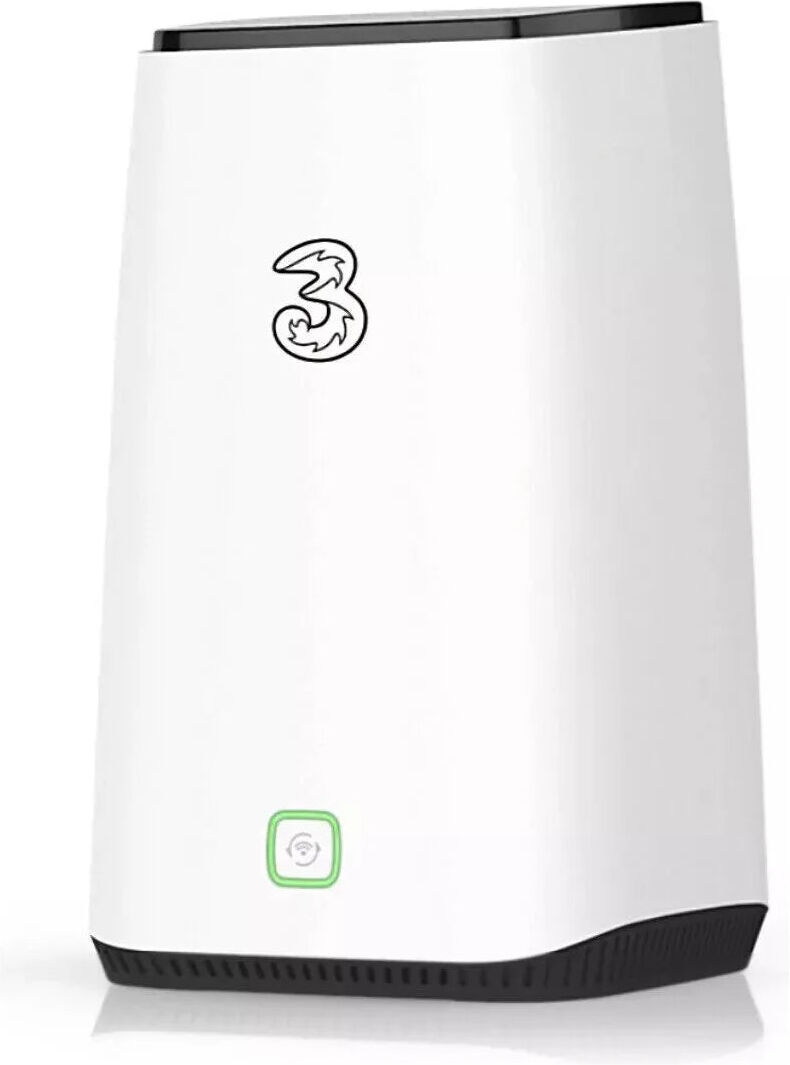

Can one connect a router to another router?
Yes, it is possible to connect one router to another router. This can be done by connecting the two routers using an Ethernet cable. This setup is often used to extend network coverage in a large home or office, or to create a separate network for specific devices. It is important to configure the second router as a "bridge" or "access point" to avoid conflicts with the main router's network. **
Why is the WLAN router not working and no LEDs are lighting up?
There could be several reasons why the WLAN router is not working and no LEDs are lighting up. It could be due to a power issue, such as a faulty power adapter or a blown fuse. It could also be a hardware failure within the router itself, such as a malfunctioning circuit board or damaged components. Additionally, it's possible that the router's firmware has become corrupted, causing it to fail to boot up properly. Troubleshooting steps could include checking the power source, trying a different power adapter, and performing a factory reset on the router. If these steps do not resolve the issue, it may be necessary to seek professional assistance or consider replacing the router. **
Top-Angebote
Products related to Router:
-
Drop Dash Deals Cabinet Door Router Bit Set, Raised Panel Router Bit Cabinet Door Router Bit Set, Raised Panel Router BitBring custom woodworking ideas to life with a tool set made for clean, confident cuts. This 3 pc of cabinet door router bit set is designed for DIY woodworkers, hobbyists, and makers who want to craft polished cabinet doors, drawer fronts, and frame...135,97 $*Shipping: 0,00 $Secure redirect to the provider
-
PRiME Carbon Milling Cutter Router Bit Set Tungsten Carbide Router With Shank For Woodworking And DIY Projects Carbon Milling Cutter Router Bit Set Tungsten Carbide Router With Shank For Woodworking And DIY ProjectsUpgrade your woodworking precision with this 15Pcs Carbon Milling Cutter Router Bit Set, engineered for performance, durability, and versatility. Designed for professionals and hobbyists alike, each bit features sharp Tungsten Carbide tips and a...44,97 $*Shipping: 0,00 $Secure redirect to the provider
-
BT Smart Hub Router - BlackDescription The BT Smart Hub Router provides wireless networking in a black design for home users who need a hub for connecting devices. It is designed for people looking for a compact router with support for established wireless standards and a stated speed of up to 300 Mbits. Supporting 802.11N, 802.11A and 802.11B wireless standards, the router offers a range of up to 300 m through doors and up to 500 m outside doors, according to the supplied product information. Its dimensions are 13.0 x 11.0 x 20.0 cm (H x W x L), making its physical size clear when planning placement. An essential addition for home networking setups requiring a BT wireless hub with broad stated range and standard wireless connectivity.56,99 £*Shipping: 0,00 £Secure redirect to the provider
-
Freud Carbide Chamfer Router BitBrand Name: Freud Overall Diameter: 1-11/32 in. Radius: 1-11/32 in. Overall Length: 2-3/16 in. Material: Carbide Style: Chamfer Product Type: Router Bit Usage: Composite Materials and Wood Packaging Type: Carded Number in Package: 1 pc.40,49 $*Shipping: 0,00 $Secure redirect to the provider
-
Is the lighting of the Telekom Speedport Smart router correct?
The Telekom Speedport Smart router has LED lights that indicate the status of the device. The lights typically show power, internet connection, and other important information. If all the lights are on and stable, then the lighting of the router is correct. However, if any of the lights are blinking or off, it may indicate an issue with the router's connection or setup. It is recommended to consult the user manual or contact customer support for further assistance. **
-
Why is the online light on the router not lighting up?
If the online light on the router is not lighting up, it could indicate a few potential issues. It may be due to a problem with the internet connection, such as an outage from the service provider or a loose connection between the router and the modem. It could also be a sign of a malfunctioning router or a need for a firmware update. Troubleshooting steps could include checking the internet connection, power cycling the router, and ensuring all cables are securely connected. **
-
Why is the DECT symbol on the o2 router lighting up?
The DECT symbol on the o2 router is lighting up because it indicates that the Digital Enhanced Cordless Telecommunications (DECT) feature is active and ready to use. DECT technology allows for wireless communication between the router and DECT-compatible devices such as cordless phones or smart home devices. When the DECT symbol is lit, it means that the router is broadcasting a DECT signal and is ready to connect with compatible devices. **
-
Why is the WLAN LED on the router not lighting up?
The WLAN LED on the router may not be lighting up due to several reasons. It could be due to a problem with the router's firmware, a faulty LED indicator, or a problem with the wireless network itself. It could also be due to a misconfiguration of the router's settings or a problem with the power supply. It is important to troubleshoot the issue by checking the router's settings, power supply, and firmware to determine the exact cause of the problem. **
Similar search terms for Router
-
All Categories Goods Modern Floating Shelf Wall Mounted Storage Rack For Router & TV Components Modern Floating Shelf Wall Mounted Storage Rack For Router & TV ComponentsImagine a clutterfree entertainment area where your devices look organized and stylish. The Modern Floating Shelf Wall Mounted Storage Rack is designed for homeowners, renters, and tech lovers who want tidy spaces without bulky furniture. This...69,97 $*Shipping: 0,00 $Secure redirect to the provider
-
Netgear Nighthawk WiFi 6E Router RAXE500Experience next-generation wireless performance with the NETGEAR Nighthawk RAXE500 AXE11000 Tri-Band WiFi 6E Router. Designed for demanding home networks, gaming, streaming and connected smart devices, it delivers combined wireless speeds of up to 10.8Gbps across three dedicated frequency bands. Featuring WiFi 6E technology, the router introduces a dedicated 6GHz band that provides additional wireless capacity, reduced congestion and lower latency for compatible devices. Its 12-stream tri-band architecture supports multiple simultaneous connections, making it suitable for busy households and demanding network environments. Powered by a 64-bit quad-core 1.8GHz processor and eight high-performance antennas, the RAXE500 delivers powerful networking performance. Advanced technologies including OFDMA, MU-MIMO and Beamforming+ help improve wireless efficiency, coverage and connectivity across compatible devices. With five Gigabit Ethernet ports, a configurable 2.5G Multi-Gig port and two USB 3.0 connections, the router offers versatile wired and wireless connectivity. Additional features include WPA3 security, NETGEAR Armor, VPN support, guest WiFi and convenient management through the Nighthawk mobile application.213,49 £*Shipping: 0,00 £Secure redirect to the provider
-
Zyxel NR5103 5G Indoor CPE Router – High-Speed Wireless Broadband Router – 3G Network Locked, Used - Very GoodOverview The Zyxel NR5103 5G Indoor CPE Router is a powerful next-generation broadband solution designed to deliver ultra-fast internet connectivity for homes and small offices. Supporting advanced 5G mobile broadband technology, this router provides reliable high-speed internet without the need for fixed-line connections. With strong wireless coverage, multiple connectivity options, and robust performance, the Zyxel NR5103 ensures smooth streaming, online gaming, video conferencing, and everyday browsing. This model is 3G network locked, making it suitable for use with compatible network providers. Key Features 5G Mobile Broadband Support – Experience high-speed internet connectivity using advanced 5G technology. Reliable Indoor CPE Router – Designed for stable home or office broadband connectivity. Dual-Band Wi-Fi – Provides strong wireless coverage for multiple devices. High-Speed Ethernet Ports – Connect wired devices such as desktops, smart TVs, and gaming consoles. Plug-and-Play Setup – Simple installation without complex configuration. Multiple Device Connectivity – Supports smartphones, laptops, tablets, and smart home devices simultaneously. Optimised Signal Performance – Built-in antennas help improve reception and network stability. Compact Indoor Design – Space-saving router suitable for home or office environments. Advanced Security Features – Helps protect your network and connected devices. 3G Network Locked – Works with compatible supported networks. Benefits The Zyxel NR5103 5G Indoor Router provides an excellent alternative to traditional broadband connections, delivering fast and reliable internet through mobile networks. This makes it ideal for locations where fibre or fixed-line broadband may not be available or where users require flexible internet access. With strong wireless coverage and support for multiple devices, the router ensures stable connections for households and small businesses. Whether streaming high-definition video, working remotely, gaming online, or connecting smart home devices, the Zyxel NR5103 offers dependable high-speed connectivity. Its simple plug-and-play setup makes it easy to install and start using immediately, while advanced security features help protect your network from potential threats. Specifications Specification Details Brand Zyxel Model NR5103 EAN / Barcode [Ean] Network Technology 5G / 4G LTE Network Lock 3G Network Locked Wi-Fi Dual-Band Wi-Fi Ethernet Ports Multiple Gigabit LAN Ports Connectivity Wi-Fi, Ethernet Antennas Internal High-Gain Antennas Usage Indoor Broadband Router Security Built-in Network Security Power AC Power Adapter Colour White Dimensions Approx. 160 × 120 × 50 mm Weight Approx. 600 g75,00 £*Shipping: 0,00 £Secure redirect to the provider
-
Modern Harvest Tools & Trends Aluminum Router Circle Cutting Jig, 3 in 1 Router Milling Groove Bracket metricElevate your woodworking projects with our 3in1 Router Milling Groove Bracket, a versatile tool designed to deliver precision and efficiency. Crafted from highquality aluminum alloy, this durable jig allows you to perform a range of tasks, including...39,97 $*Shipping: 0,00 $Secure redirect to the provider
-
Is a router simply put, a router?
Yes, a router is simply put, a router. A router is a networking device that forwards data packets between computer networks. It is responsible for determining the best path for data to travel and directing it to its destination. In essence, a router is a device that routes data between different networks, hence the name "router." **
-
Why is the power indicator of the Telekom router not lighting up?
The power indicator of the Telekom router may not be lighting up due to a few possible reasons. It could be a simple issue such as a loose power cable connection or a faulty power outlet. Alternatively, the router itself may be malfunctioning and in need of repair or replacement. It is also possible that there is a power outage in the area, causing the router to not receive any power. Troubleshooting the power source and checking for any technical issues with the router itself can help determine the cause of the power indicator not lighting up. **
-
Can one connect a router to another router?
Yes, it is possible to connect one router to another router. This can be done by connecting the two routers using an Ethernet cable. This setup is often used to extend network coverage in a large home or office, or to create a separate network for specific devices. It is important to configure the second router as a "bridge" or "access point" to avoid conflicts with the main router's network. **
-
Why is the WLAN router not working and no LEDs are lighting up?
There could be several reasons why the WLAN router is not working and no LEDs are lighting up. It could be due to a power issue, such as a faulty power adapter or a blown fuse. It could also be a hardware failure within the router itself, such as a malfunctioning circuit board or damaged components. Additionally, it's possible that the router's firmware has become corrupted, causing it to fail to boot up properly. Troubleshooting steps could include checking the power source, trying a different power adapter, and performing a factory reset on the router. If these steps do not resolve the issue, it may be necessary to seek professional assistance or consider replacing the router. **
* All prices are inclusive of VAT and, if applicable, plus shipping costs. The offer information is based on the details provided by the respective shop and is updated through automated processes. Real-time updates do not occur, so deviations can occur in individual cases. ** Note: Parts of this content were created by AI.