Buy kidsroom.eu ?
We are moving the project
kidsroom.eu .
Are you interested in purchasing the domain
kidsroom.eu ?
domain@kv-gmbh.de · 0541-91531010
Buy kidsroom.eu ?
Is the storage of the Samsung Galaxy J3 full?
To determine if the storage of the Samsung Galaxy J3 is full, you can go to the device's settings and check the storage status. Navigate to Settings > Device Care > Storage to see how much storage is being used and how much is available. If the storage bar is almost full or shows a message indicating low storage space, then the device's storage is likely full or nearly full. You may need to delete unnecessary files or apps to free up space and improve the device's performance. **
Is the storage of the Samsung Galaxy Mini full?
Without knowing the specific storage capacity of the Samsung Galaxy Mini, it is difficult to determine if the storage is full. However, you can check the storage status of the device by going to the settings and looking at the storage section. This will show you how much storage is being used and how much is still available. If the storage is close to being full, you may need to delete some files or apps to free up space. **


Similar search terms for Galaxy
Top-Angebote
Products related to Galaxy:
-
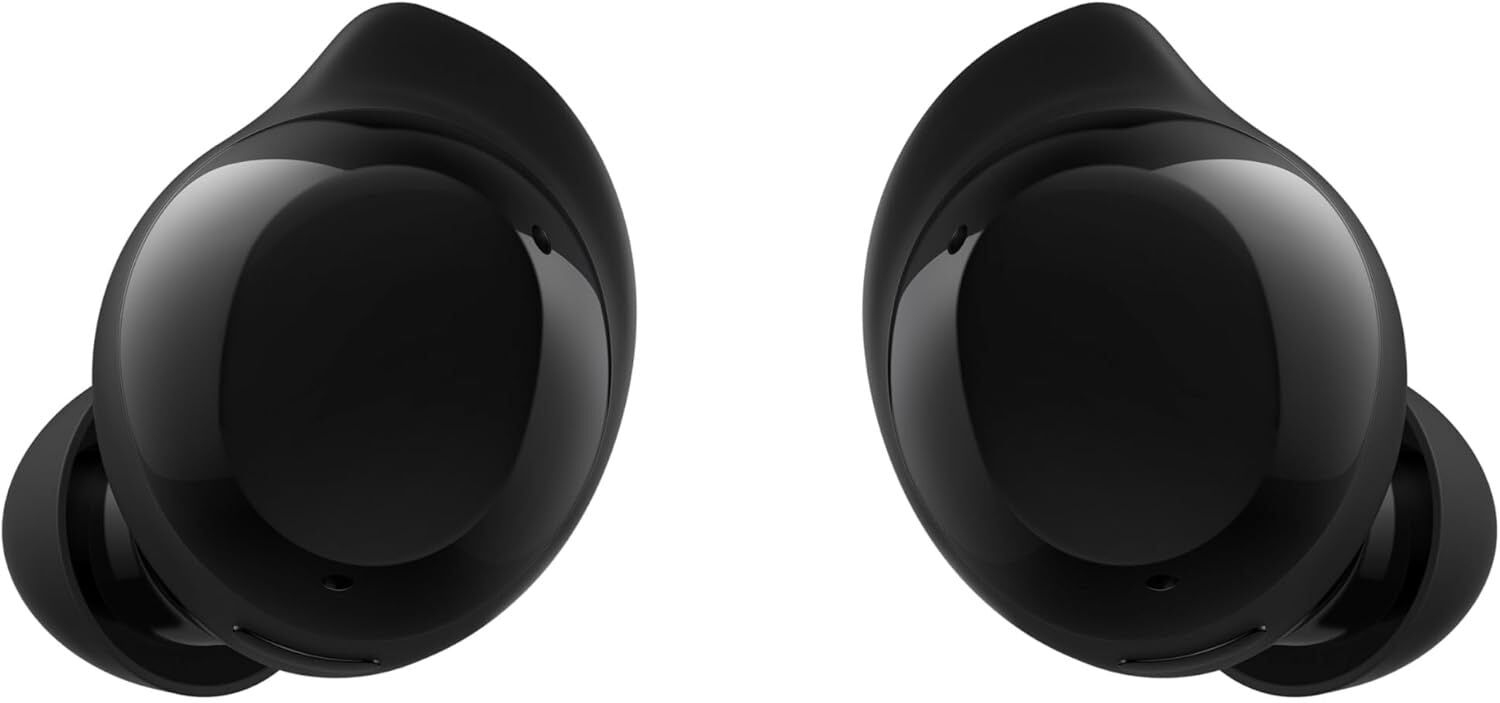
SAMSUNG Galaxy Buds Core – ANC, Galaxy AI Voice Translation, BlackThe Samsung Galaxy Buds Core (Black) deliver premium wireless sound with Active Noise Cancellation (ANC), Galaxy AI voice translation, long-lasting battery life, and water-resistant design, perfect for work, travel, and everyday listening. Overview: Experience next-level wireless audio with the Samsung Galaxy Buds Core. Designed for seamless integration with Galaxy devices, they feature ANC to block unwanted noise and Galaxy AI-powered voice translation to help you communicate across languages in real time. With all-day battery life, fast charging, and a water-resistant build, they’re built for both productivity and lifestyle. The comfortable in-ear fit and high-quality sound make them ideal for music, calls, and travel. Key Features: Active Noise Cancellation (ANC) – Block out distractions for immersive sound Galaxy AI Voice Translation – Real-time language translation through Galaxy AI Long Battery Life – All-day listening with quick charging support Water-Resistant Design – Durable and reliable for workouts or outdoor use Premium Sound Quality – Rich audio tuned for clarity and depth Comfortable In-Ear Fit – Secure, lightweight, and designed for all-day wear Seamless Galaxy Integration – Optimised for Samsung Galaxy devices and Android Smart Touch Controls – Easily manage music, calls, and settings Sleek Black Finish – Stylish and modern design Product Description: The Samsung Galaxy Buds Core – Black are designed to combine premium sound with smart, AI-powered features. With Active Noise Cancellation, you’ll enjoy immersive listening without distractions, while Galaxy AI voice translation breaks down language barriers in real time. Perfect for travel, work, or everyday use, the Buds Core offer long-lasting battery life, water-resistant durability, and seamless connectivity with Galaxy devices. Compact, stylish, and powerful, they’re built for music lovers, frequent travellers, and professionals alike.49,99 £*Shipping: 0,00 £Secure redirect to the provider
-
SAMSUNG Galaxy S25 128GB Storage Silver Shadow - Unlocked, NewStep into next-generation smartphone performance with the Samsung Galaxy S25 128GB – Silver Shadow (Unlocked), a premium flagship device designed for speed, intelligent features, and professional-grade photography. Built with Samsung’s latest hardware and Galaxy AI enhancements, the S25 delivers smooth everyday performance alongside advanced smart features for work, creativity, and entertainment. Crafted with a sleek, modern design and premium materials, the Galaxy S25 offers powerful processing, stunning display clarity, and reliable all-day battery performance — making it ideal for business users, content creators, and everyday power users. ✔️ Next-Gen Flagship Processor – Fast multitasking, smooth gaming, and advanced AI processing ✔️ 128GB High-Speed Internal Storage – Plenty of space for apps, photos, videos, and files ✔️ Dynamic AMOLED 2X Display (120Hz) – Ultra-smooth scrolling with vibrant colours and deep contrast ✔️ Advanced Galaxy AI Features – Smart photo editing, productivity tools, and intelligent assistance ✔️ Pro-Grade Camera System – High-quality photos and 4K video with enhanced night and portrait modes ✔️ 5G Connectivity – Ultra-fast downloads, streaming, and cloud access ✔️ Premium Build Quality – Durable glass and aluminium construction for long-term reliability ✔️ In-Display Fingerprint Sensor – Fast and secure biometric unlocking ✔️ Unlocked (SIM-Free) – Works with major UK and international networks The Samsung Galaxy S25 is built for users who want flagship performance in a refined, easy-to-carry design. Whether you’re managing business tasks, capturing high-quality photos, or streaming content on the go, this device delivers speed, reliability, and premium user experience in a stylish Silver Shadow finish.728,99 £*Shipping: 0,00 £Secure redirect to the provider
-
SAMSUNG Galaxy A21s 32GB Storage Black - Unlocked, Used - Good.gadcet-pdp{--g-green:#00a651;color:#1f2430;line-height:1.55;font-size:inherit;max-width:760px}.gadcet-pdp>*:first-child{margin-top:0}.gadcet-pdp p{margin:0 0.9em}.gadcet-pdp h3{font-size:1.05em;font-weight:600;color:#11161f;margin:1.4em 0.5em;padding-left:.5em;border-left:3px solid var(--g-green);border-radius:0;line-height:1.3}.gadcet-pdp ul{list-style:none!important;margin:0 0.9em;padding:0!important}.gadcet-pdp ul li{position:relative;padding:.1em 0.1em 1.5em;margin:0}.gadcet-pdp ul li::before{content:"";position:absolute;left:.16em;top:.45em;width:.36em;height:.66em;border:solid var(--g-green);border-width:0.14em.14em 0;transform:rotate(45deg)}.gadcet-pdp table{width:100%;border-collapse:collapse;margin:.3em 0 1em;font-size:.95em;border:1px solid #e7e9ee!important;border-radius:8px;overflow:hidden}.gadcet-pdp table td{padding:.5em.8em;border-bottom:1px solid #eef0f4!important;vertical-align:top}.gadcet-pdp table tr:last-child td{border-bottom:0!important}.gadcet-pdp table tr:nth-child(even){background:#f7f9f8}.gadcet-pdp table td:first-child{font-weight:600;color:#454c59;width:40%}@media (max-width:600px){.gadcet-pdp table td:first-child{width:42%}} Choose the Samsung Galaxy A21s in black with 32GB storage and an unlocked 4G connection. Its 6.5-inch display, quad rear camera system and 5,000mAh battery make it a practical option for everyday communication, photos and entertainment. Key Features 32GB internal storage, expandable with a microSD card up to 512GB. 6.5-inch HD+ Infinity-O display with 720 × 1600 resolution. Octa-core processor for everyday tasks. Unlocked 4G smartphone for use with compatible UK mobile networks. Quad rear camera system: 48MP main, 8MP ultra-wide, 2MP macro and 2MP depth cameras. 13MP front camera for selfies and video calls. 5,000mAh battery and support for 15W fast charging. Rear fingerprint sensor, face recognition, USB-C and a 3.5mm headphone jack. Benefits Choose a compatible SIM plan without being tied to a network contract. Capture a range of everyday photos with the rear camera options. Enjoy a spacious screen for browsing, videos and apps. Select the condition that suits you, from New to Used - Fair. Specifications Brand and model Samsung Galaxy A21s Storage 32GB internal storage; expandable via microSD card up to 512GB Colour Black Display 6.5-inch HD+ Infinity-O, 720 × 1600 resolution Network Unlocked 4G Rear cameras 48MP main, 8MP ultra-wide, 2MP macro and 2MP depth Front camera 13MP Battery 5,000mAh; supports 15W fast charging Connections USB-C and 3.5mm headphone jack What You'll Receive One Samsung Galaxy A21s 32GB Black, in the condition selected: New, Used - Like New, Used - Very Good, Used - Good or Used - Fair. Accessories are not specified. Ideal For A practical choice for everyday calls, messaging, browsing, photography and entertainment. Its unlocked status offers flexibility to use a SIM from a compatible UK mobile network.99,99 £*Shipping: 0,00 £Secure redirect to the provider


-
Is the storage of the Samsung Galaxy Xcover full?
To determine if the storage of the Samsung Galaxy Xcover is full, you can go to the Settings app and then select the Storage option. This will show you a breakdown of how much storage is being used and how much is available. If the storage is nearly full, you may need to delete some unused apps, photos, or other files to free up space. Additionally, you can consider transferring some files to an external storage device or cloud storage to make more room on the device. **
-
Is the storage of the Samsung Galaxy J5 unnecessarily full?
The storage of the Samsung Galaxy J5 may become unnecessarily full depending on the usage and the amount of data stored on the device. If the user has a large number of apps, photos, videos, and other files stored on the device, it can quickly fill up the storage. However, if the user regularly manages and deletes unnecessary files, the storage may not be unnecessarily full. It ultimately depends on the user's habits and the amount of data stored on the device. **
-
Is the storage of the Samsung Galaxy S4 Mini full?
To determine if the storage of the Samsung Galaxy S4 Mini is full, you can check the device's storage settings. Go to the Settings menu, then select Storage. Here, you will be able to see how much storage space is being used and how much is still available. If the storage bar is almost full or shows a message indicating low storage space, then the device's storage is likely full or nearly full. **
-
How can the storage of the Galaxy S7 be cleared?
To clear the storage of a Galaxy S7, you can start by deleting unnecessary apps and files. You can also clear the cache of individual apps or the system cache through the device's settings. Another option is to transfer photos, videos, and other large files to an external storage device or cloud storage to free up space. Lastly, you can perform a factory reset to erase all data on the device and start fresh. **


Where is the storage space located on my Galaxy S5?
The storage space on your Galaxy S5 is located internally within the device. It is built-in and cannot be removed or replaced. The device comes with different storage options, such as 16GB, 32GB, or 64GB, and also has the option to expand the storage using a microSD card. You can access and manage the storage space through the device's settings and file management apps. **
"Is the storage of the Samsung Galaxy S7 Edge expandable?"
Yes, the storage of the Samsung Galaxy S7 Edge is expandable. It has a microSD card slot that allows you to add extra storage space by inserting a microSD card. This allows you to store more photos, videos, and other files on your device without having to rely solely on the internal storage. **
Top-Angebote
Products related to Galaxy:
-
Discount Dollar Deals Dustproof Under Bed Storage Box, Reinforced Handles For Comforter, Bedding, Pillow, Blanket, Toys, Bedroom Accessories 1pcTransform your home organization with this dustproof under bed storage box. Perfect for storing comforters, blankets, bedding, pillows, and even toys, this storage solution keeps your bedroom neat and tidy while maximizing space. The reinforced...59,97 $*Shipping: 0,00 $Secure redirect to the provider
-
Universal Stock Extra Large Clothes Storage Bag For Blankets Comforters Toys And Bedding Extra Large Clothes Storage Bag For Blankets Comforters Toys And BeddingKeep bulky household essentials neatly contained and reclaim valuable closet space with this 1 pc of large storage bag. Designed for blankets, comforters, clothing, pillows, toys, and other soft items, it offers generous storage for everyday...99,97 $*Shipping: 0,00 $Secure redirect to the provider
-
SAMSUNG Galaxy Buds Core – ANC, Galaxy AI Voice Translation, BlackThe Samsung Galaxy Buds Core (Black) deliver premium wireless sound with Active Noise Cancellation (ANC), Galaxy AI voice translation, long-lasting battery life, and water-resistant design, perfect for work, travel, and everyday listening. Overview: Experience next-level wireless audio with the Samsung Galaxy Buds Core. Designed for seamless integration with Galaxy devices, they feature ANC to block unwanted noise and Galaxy AI-powered voice translation to help you communicate across languages in real time. With all-day battery life, fast charging, and a water-resistant build, they’re built for both productivity and lifestyle. The comfortable in-ear fit and high-quality sound make them ideal for music, calls, and travel. Key Features: Active Noise Cancellation (ANC) – Block out distractions for immersive sound Galaxy AI Voice Translation – Real-time language translation through Galaxy AI Long Battery Life – All-day listening with quick charging support Water-Resistant Design – Durable and reliable for workouts or outdoor use Premium Sound Quality – Rich audio tuned for clarity and depth Comfortable In-Ear Fit – Secure, lightweight, and designed for all-day wear Seamless Galaxy Integration – Optimised for Samsung Galaxy devices and Android Smart Touch Controls – Easily manage music, calls, and settings Sleek Black Finish – Stylish and modern design Product Description: The Samsung Galaxy Buds Core – Black are designed to combine premium sound with smart, AI-powered features. With Active Noise Cancellation, you’ll enjoy immersive listening without distractions, while Galaxy AI voice translation breaks down language barriers in real time. Perfect for travel, work, or everyday use, the Buds Core offer long-lasting battery life, water-resistant durability, and seamless connectivity with Galaxy devices. Compact, stylish, and powerful, they’re built for music lovers, frequent travellers, and professionals alike.49,99 £*Shipping: 0,00 £Secure redirect to the provider
-
SAMSUNG Galaxy S25 128GB Storage Silver Shadow - Unlocked, NewStep into next-generation smartphone performance with the Samsung Galaxy S25 128GB – Silver Shadow (Unlocked), a premium flagship device designed for speed, intelligent features, and professional-grade photography. Built with Samsung’s latest hardware and Galaxy AI enhancements, the S25 delivers smooth everyday performance alongside advanced smart features for work, creativity, and entertainment. Crafted with a sleek, modern design and premium materials, the Galaxy S25 offers powerful processing, stunning display clarity, and reliable all-day battery performance — making it ideal for business users, content creators, and everyday power users. ✔️ Next-Gen Flagship Processor – Fast multitasking, smooth gaming, and advanced AI processing ✔️ 128GB High-Speed Internal Storage – Plenty of space for apps, photos, videos, and files ✔️ Dynamic AMOLED 2X Display (120Hz) – Ultra-smooth scrolling with vibrant colours and deep contrast ✔️ Advanced Galaxy AI Features – Smart photo editing, productivity tools, and intelligent assistance ✔️ Pro-Grade Camera System – High-quality photos and 4K video with enhanced night and portrait modes ✔️ 5G Connectivity – Ultra-fast downloads, streaming, and cloud access ✔️ Premium Build Quality – Durable glass and aluminium construction for long-term reliability ✔️ In-Display Fingerprint Sensor – Fast and secure biometric unlocking ✔️ Unlocked (SIM-Free) – Works with major UK and international networks The Samsung Galaxy S25 is built for users who want flagship performance in a refined, easy-to-carry design. Whether you’re managing business tasks, capturing high-quality photos, or streaming content on the go, this device delivers speed, reliability, and premium user experience in a stylish Silver Shadow finish.728,99 £*Shipping: 0,00 £Secure redirect to the provider
-
Is the storage of the Samsung Galaxy J3 full?
To determine if the storage of the Samsung Galaxy J3 is full, you can go to the device's settings and check the storage status. Navigate to Settings > Device Care > Storage to see how much storage is being used and how much is available. If the storage bar is almost full or shows a message indicating low storage space, then the device's storage is likely full or nearly full. You may need to delete unnecessary files or apps to free up space and improve the device's performance. **
-
Is the storage of the Samsung Galaxy Mini full?
Without knowing the specific storage capacity of the Samsung Galaxy Mini, it is difficult to determine if the storage is full. However, you can check the storage status of the device by going to the settings and looking at the storage section. This will show you how much storage is being used and how much is still available. If the storage is close to being full, you may need to delete some files or apps to free up space. **
-
Is the storage of the Samsung Galaxy Xcover full?
To determine if the storage of the Samsung Galaxy Xcover is full, you can go to the Settings app and then select the Storage option. This will show you a breakdown of how much storage is being used and how much is available. If the storage is nearly full, you may need to delete some unused apps, photos, or other files to free up space. Additionally, you can consider transferring some files to an external storage device or cloud storage to make more room on the device. **
-
Is the storage of the Samsung Galaxy J5 unnecessarily full?
The storage of the Samsung Galaxy J5 may become unnecessarily full depending on the usage and the amount of data stored on the device. If the user has a large number of apps, photos, videos, and other files stored on the device, it can quickly fill up the storage. However, if the user regularly manages and deletes unnecessary files, the storage may not be unnecessarily full. It ultimately depends on the user's habits and the amount of data stored on the device. **
Similar search terms for Galaxy
-
SAMSUNG Galaxy A21s 32GB Storage Black - Unlocked, Used - Good.gadcet-pdp{--g-green:#00a651;color:#1f2430;line-height:1.55;font-size:inherit;max-width:760px}.gadcet-pdp>*:first-child{margin-top:0}.gadcet-pdp p{margin:0 0.9em}.gadcet-pdp h3{font-size:1.05em;font-weight:600;color:#11161f;margin:1.4em 0.5em;padding-left:.5em;border-left:3px solid var(--g-green);border-radius:0;line-height:1.3}.gadcet-pdp ul{list-style:none!important;margin:0 0.9em;padding:0!important}.gadcet-pdp ul li{position:relative;padding:.1em 0.1em 1.5em;margin:0}.gadcet-pdp ul li::before{content:"";position:absolute;left:.16em;top:.45em;width:.36em;height:.66em;border:solid var(--g-green);border-width:0.14em.14em 0;transform:rotate(45deg)}.gadcet-pdp table{width:100%;border-collapse:collapse;margin:.3em 0 1em;font-size:.95em;border:1px solid #e7e9ee!important;border-radius:8px;overflow:hidden}.gadcet-pdp table td{padding:.5em.8em;border-bottom:1px solid #eef0f4!important;vertical-align:top}.gadcet-pdp table tr:last-child td{border-bottom:0!important}.gadcet-pdp table tr:nth-child(even){background:#f7f9f8}.gadcet-pdp table td:first-child{font-weight:600;color:#454c59;width:40%}@media (max-width:600px){.gadcet-pdp table td:first-child{width:42%}} Choose the Samsung Galaxy A21s in black with 32GB storage and an unlocked 4G connection. Its 6.5-inch display, quad rear camera system and 5,000mAh battery make it a practical option for everyday communication, photos and entertainment. Key Features 32GB internal storage, expandable with a microSD card up to 512GB. 6.5-inch HD+ Infinity-O display with 720 × 1600 resolution. Octa-core processor for everyday tasks. Unlocked 4G smartphone for use with compatible UK mobile networks. Quad rear camera system: 48MP main, 8MP ultra-wide, 2MP macro and 2MP depth cameras. 13MP front camera for selfies and video calls. 5,000mAh battery and support for 15W fast charging. Rear fingerprint sensor, face recognition, USB-C and a 3.5mm headphone jack. Benefits Choose a compatible SIM plan without being tied to a network contract. Capture a range of everyday photos with the rear camera options. Enjoy a spacious screen for browsing, videos and apps. Select the condition that suits you, from New to Used - Fair. Specifications Brand and model Samsung Galaxy A21s Storage 32GB internal storage; expandable via microSD card up to 512GB Colour Black Display 6.5-inch HD+ Infinity-O, 720 × 1600 resolution Network Unlocked 4G Rear cameras 48MP main, 8MP ultra-wide, 2MP macro and 2MP depth Front camera 13MP Battery 5,000mAh; supports 15W fast charging Connections USB-C and 3.5mm headphone jack What You'll Receive One Samsung Galaxy A21s 32GB Black, in the condition selected: New, Used - Like New, Used - Very Good, Used - Good or Used - Fair. Accessories are not specified. Ideal For A practical choice for everyday calls, messaging, browsing, photography and entertainment. Its unlocked status offers flexibility to use a SIM from a compatible UK mobile network.99,99 £*Shipping: 0,00 £Secure redirect to the provider
-
Is the storage of the Samsung Galaxy S4 Mini full?
To determine if the storage of the Samsung Galaxy S4 Mini is full, you can check the device's storage settings. Go to the Settings menu, then select Storage. Here, you will be able to see how much storage space is being used and how much is still available. If the storage bar is almost full or shows a message indicating low storage space, then the device's storage is likely full or nearly full. **
-
How can the storage of the Galaxy S7 be cleared?
To clear the storage of a Galaxy S7, you can start by deleting unnecessary apps and files. You can also clear the cache of individual apps or the system cache through the device's settings. Another option is to transfer photos, videos, and other large files to an external storage device or cloud storage to free up space. Lastly, you can perform a factory reset to erase all data on the device and start fresh. **
-
Where is the storage space located on my Galaxy S5?
The storage space on your Galaxy S5 is located internally within the device. It is built-in and cannot be removed or replaced. The device comes with different storage options, such as 16GB, 32GB, or 64GB, and also has the option to expand the storage using a microSD card. You can access and manage the storage space through the device's settings and file management apps. **
-
"Is the storage of the Samsung Galaxy S7 Edge expandable?"
Yes, the storage of the Samsung Galaxy S7 Edge is expandable. It has a microSD card slot that allows you to add extra storage space by inserting a microSD card. This allows you to store more photos, videos, and other files on your device without having to rely solely on the internal storage. **
* All prices are inclusive of VAT and, if applicable, plus shipping costs. The offer information is based on the details provided by the respective shop and is updated through automated processes. Real-time updates do not occur, so deviations can occur in individual cases. ** Note: Parts of this content were created by AI.