Buy kidsroom.eu ?
We are moving the project
kidsroom.eu .
Are you interested in purchasing the domain
kidsroom.eu ?
domain@kv-gmbh.de · 0541-91531010
Buy kidsroom.eu ?
Has Microsoft Word expired?
No, Microsoft Word does not expire. Once you purchase a license for Microsoft Word, you can continue to use it indefinitely. However, if you have a subscription-based version of Microsoft Word through Microsoft 365, you will need to renew your subscription to continue using the software. **
How can you teach Microsoft Word a new word?
To teach Microsoft Word a new word, you can simply type the word into a document and then right-click on it. From the options that appear, select "Add to Dictionary" or "Add to Autocorrect Options" to ensure that Word recognizes the word as correctly spelled in the future. You can also go to the "File" menu, select "Options," then "Proofing," and finally "Custom Dictionaries" to add the word to the dictionary manually. By following these steps, you can easily teach Microsoft Word a new word and prevent it from being marked as a spelling error in your documents. **

Similar search terms for Microsoft-Word-2024
Top-Angebote
Products related to Microsoft-Word-2024:
-
Microsoft Office Home 2024Office Home 2024 is the basic productivity package, designed for users who need daily use of Word, Excel and PowerPoint applications only. The licence is perpetual: no subscription and no recurring costs, you pay once and the software is yours forever. IMPORTANT: The software is for non-commercial use and is compatible with Windows 11, Windows 10 and recent Mac OS systems (Sequoia recommended minimum). If you need an Office version for business requirements that includes the full package, have a look at Office Home & Business 2024 PC/Mac. By purchasing Office Home 2024 you will receive: A lifetime original licence key from Microsoft Cloud Service partner Step-by-step guide to installation and product activation Free technical support from PrimeLicense experts What is included in Office Home 2024? Office Home 2024 provides you with an essential selection of the Microsoft Office suite, perfect for students, families and personal use. The included software is: Word – Create professional documents, reports and letters Excel – Track expenses, create spreadsheets and use useful formulas PowerPoint – Create clear and engaging presentations This edition does not include Outlook, Publisher or Access. It is designed for a single computer and represents a simple and economical solution for everyday activities and study. Office Home 2024 is compatible with Windows 11, Windows 10 and the latest versions of macOS. Make sure your device meets the minimum requirements. Office 2024 versions: which one to choose? The table below outlines all the features of the Office 2024 versions, allowing you to choose the one that best suits your needs. Feature Office Home 2024 Office Home & Business 2024 Office Professional Plus 2024 LTSC Compatibility Windows, macOS Windows, macOS Windows Users 1 user 1 user 1 user Devices 1 device 1 device 1 device Payment One-time One-time One-time Commercial use No Yes Yes Word ✓ ✓ ✓ Excel ✓ ✓ ✓ PowerPoint ✓ ✓ ✓ Outlook — ✓ ✓ OneNote — ✓ ✓ Access — — ✓ Office Home 2024 vs Microsoft 365: what is the difference? Unsure between Office 2024 Home or Microsoft 365? The main difference is that Office Home 2024 is a one-time purchase: you pay once and the licence is yours forever, with no recurring costs. Microsoft 365 is instead a subscription service: you pay monthly or annually and a subscription is required to have constant access to the applications. Here are some of the main differences. Feature Office Home 2024 Microsoft 365 Payment One-time purchase Monthly or annual subscription Licence duration Forever For as long as you maintain the subscription Apps included Word, Excel, PowerPoint Word, Excel, PowerPoint, Outlook, OneNote, Access Updates Security updates only Regular feature updates Cloud storage Not included 1 TB OneDrive included Multi-device support 1 PC or 1 Mac PC, Mac and mobile devices Ideal for Study and personal use on a single device Cloud work, sharing and cross-platform access If you want a reliable, simple and economical...110,90 £*Shipping: 0,00 £Secure redirect to the provider
-
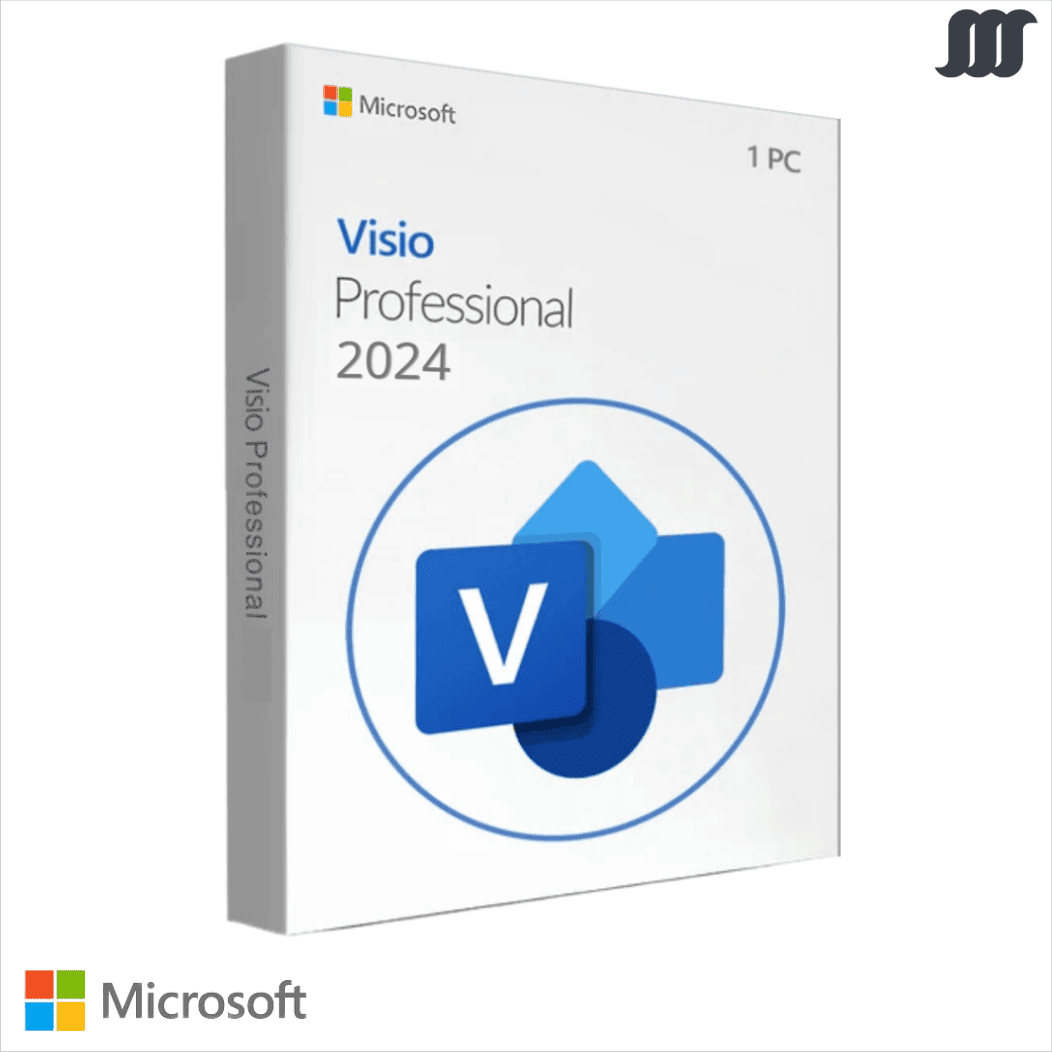
Microsoft Visio 2024 ProfessionalHere’s an expanded description of Microsoft Visio 2024 Professional with additional details: Microsoft Visio 2024 Professional is a powerful diagramming and vector design software designed for professionals who need to present complex ideas visually. From IT infrastructure to business processes, Visio 2024 provides robust tools for creating clear and precise diagrams that convey information in an easily understandable format. Comprehensive Feature Set: Wide Range of Diagrams: Create an array of diagram types, including: Flowcharts: Streamline processes by visualizing workflows and operations. Network Diagrams: Design IT networks and infrastructures, including servers, switches, and routers. Floor Plans: Draft layouts and floor plans for office spaces, warehouses, and more. Org Charts: Build organizational charts for clear hierarchical visualization. Mind Maps and Brainstorming Diagrams: Use Visio’s templates to organize thoughts and strategies for planning and development visually. Real-time Collaboration and Co-Authoring: Collaborate with your team regardless of location by working on diagrams simultaneously via cloud connectivity in Microsoft 365. This feature ensures real-time changes are reflected, allowing for efficient teamwork and faster project completion. Data-Driven Diagrams: Link your diagrams to external data sources like Microsoft Excel, SQL Server, SharePoint, and Azure Active Directory. Visio Professional 2024 supports dynamic data linking, allowing you to turn diagrams into dashboards that automatically update as the data changes, perfect for live monitoring. Built-in Validation: Ensure diagrams are compliant with industry standards or internal guidelines with Visio’s built-in validation feature. This is particularly useful for IT and engineering fields where accuracy is critical. Advanced Shapes and Stencils: The software offers thousands of shapes, stencils, and customizable design elements to make diagrams more effective and professional-looking. You can also create your stencils and shapes tailored to your specific business needs. Enhanced AutoCAD Support: Visio 2024 Professional offers improved AutoCAD support, allowing you to import and work on AutoCAD drawings (.dwg files) with better precision and scale. The new version supports AutoCAD 2022 and earlier versions, making it ideal for architects and engineers who need to work across platforms. Enterprise-Level Security: Data Protection with IRM: Safeguard your diagrams with Information Rights Management (IRM), which enables document-level encryption, restricting who can view, copy, print, or forward sensitive information. Compliance with Industry Standards: Visio 2024 ensures compliance with various industry standards such as BPMN 2.0 (Business Process Model and Notation) and UML (Unified Modeling Language). User Interface Enhancements: Streamlined User Interface: The Visio 2024 Professional edition has been updated with a more intuitive interface, improving accessibility...15,19 £*Shipping: 0,00 £Secure redirect to the provider
-
Microsoft Project Professional 2024Microsoft Project Professional 2024 is the latest project management solution from Microsoft, designed to meet the needs of professionals and organizations managing complex projects. With robust features that enhance productivity, streamline collaboration, and optimize resource allocation, this software is ideal for efficiently managing projects of any scale. Key Features of Project Professional 2024: Intuitive Project Scheduling Build and manage timelines with Gantt charts, customizable templates, and a simplified drag-and-drop interface. Enhanced planning tools provide clear visibility into task progress, dependencies, and milestones. Efficient Resource Management Assign tasks, optimize resource use across projects, and resolve potential bottlenecks before they impact timelines. Real-time resource analytics help track resource costs and availability to keep projects within budget. Real-Time Collaboration and Communication Seamlessly collaborate with team members and stakeholders through Microsoft Teams integration. Share updates, receive feedback, and maintain transparency across all project phases. Comprehensive Reporting and Analytics Use built-in reporting tools to generate project reports with data visualization features, customizable views, and charts. Gain insights into project performance, identify areas for improvement, and keep stakeholders informed. Integrated Workflow with Microsoft Ecosystem Compatible with Microsoft 365 apps like Word, Excel, Teams, and SharePoint, making it easy to integrate across platforms. Improved security and data management features ensure information protection and compliance. Enhanced User Experience and Performance A modernized interface with intuitive navigation and improved loading speeds enhances productivity. Optimized to handle large-scale projects with multiple stakeholders, dependencies, and high resource demands. Ideal for: Microsoft Project Professional 2024 is perfect for project managers, PMOs, and organizations looking for a scalable solution with powerful tools for scheduling, resource management, and collaboration. Its seamless Microsoft integration and advanced capabilities make it suitable for industries including IT, construction, consulting, and engineering.15,19 £*Shipping: 0,00 £Secure redirect to the provider
-
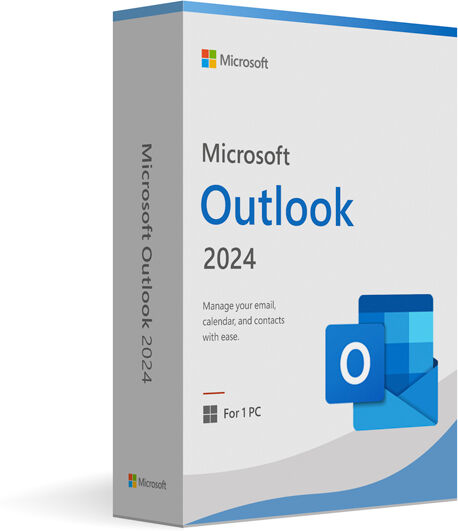
Microsoft Outlook 2024 for WindowsMicrosoft Outlook 2024 for Windows is the latest iteration of Microsoft's renowned email and personal information management software, designed specifically to integrate seamlessly with Windows operating systems. This powerful tool is essential for professionals, students, and anyone who requires efficient communication and organisation capabilities in their daily digital life. With Microsoft Outlook 2024, users gain access to a comprehensive suite of features that go beyond just managing emails. The interface has been refined for clarity and ease of use, helping you to navigate your inbox, calendar, contacts, and tasks with greater productivity. The software supports multiple email accounts, allowing you to consolidate all your correspondence in one convenient location without the hassle of switching between apps. The calendar functionality allows for straightforward scheduling and management of appointments, meetings, and reminders. Integration with your contacts means you can quickly invite attendees, check availability, and keep track of important dates. Task management tools let you set priorities and deadlines, ensuring your workload stays organised and manageable. One of the standout features in Outlook 2024 is improved security measures to help protect your correspondence and personal information. Enhanced spam filtering and phishing protection work behind the scenes, while encryption options provide added confidence when sending sensitive emails. This makes it especially suitable for business environments where data protection is paramount. Outlook 2024 also offers robust search capabilities, enabling you to locate specific messages, attachments, or contacts quickly through advanced filtering options. Conversation threading helps keep email exchanges tidy and easy to follow, even during busy professional exchanges. Microsoft Outlook 2024 for Windows integrates smoothly with other Microsoft Office applications, such as Word, Excel, and PowerPoint, allowing for effortless sharing and collaboration. Whether you're sending reports, scheduling meetings, or managing projects, Outlook acts as a central hub facilitating your workflow. Installation is straightforward on compatible Windows devices, and regular updates ensure you have access to the latest features and security patches. As a trusted product from Microsoft, Outlook 2024 benefits from a long-standing reputation for reliability and performance. For anyone looking to enhance their email management, scheduling, and communications experience on a Windows PC, Microsoft Outlook 2024 represents a comprehensive, user-friendly solution. It supports professional and personal organisation needs while maintaining high standards of security and integration.59,99 £*Shipping: 0,00 £Secure redirect to the provider


-
How can one teach Microsoft Word a new word?
To teach Microsoft Word a new word, you can simply right-click on the word that is underlined as misspelled and select "Add to Dictionary." This will add the word to Word's dictionary so it won't be flagged as misspelled in the future. Additionally, you can go to the "File" menu, select "Options," then choose "Proofing" and click on "Custom Dictionaries." From there, you can add the new word to the custom dictionary. This way, Word will recognize the word as correctly spelled. **
-
Where can I download Microsoft Word?
You can download Microsoft Word by purchasing a subscription to Microsoft 365, which includes access to Word, Excel, PowerPoint, and other Microsoft Office applications. You can also download the standalone version of Microsoft Word from the Microsoft website or from authorized retailers. Additionally, Microsoft Word is available for download on various app stores for mobile devices such as smartphones and tablets. **
-
Which smartwatch supports Microsoft Office Word?
As of now, the Apple Watch does not support Microsoft Office Word. However, there are other smartwatches that are compatible with Microsoft Office Word, such as the Samsung Galaxy Watch and the Fitbit Versa. These smartwatches allow users to view and edit Word documents directly from their wrist, making it convenient for users who need to access and work on Word documents on the go. **
-
How can one repair Microsoft Word?
To repair Microsoft Word, you can try a few troubleshooting steps. First, you can try restarting your computer to see if that resolves the issue. If that doesn't work, you can try repairing the Microsoft Office installation by going to the Control Panel, selecting Programs, and then choosing Microsoft Office. From there, you can select Repair to fix any issues with the installation. If the problem persists, you can also try reinstalling Microsoft Office altogether. **
Can Microsoft Word open ODP files?
No, Microsoft Word cannot open ODP files directly. ODP files are created and used by presentation software like LibreOffice Impress or OpenOffice Impress. To open an ODP file in Microsoft Word, you would need to first convert the file to a compatible format like PPTX. There are online converters available that can help with this conversion process. **
What are the system requirements for the Microsoft Flight Simulator 2024?
The system requirements for Microsoft Flight Simulator 2024 have not been officially released as of now. However, based on the previous versions of the game, it is expected that the game will require a relatively powerful computer with a modern processor, a dedicated graphics card, and a significant amount of RAM. Additionally, a fast internet connection will likely be necessary for downloading updates and accessing online features. As the game's release date approaches, Microsoft will likely provide detailed system requirements for players to ensure a smooth gaming experience. **
Top-Angebote
Products related to Microsoft-Word-2024:
-
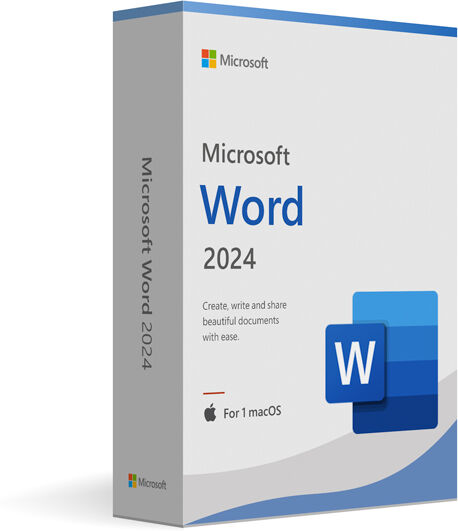
Microsoft Word 2024 for macOSMicrosoft Word 2024 for macOS is the latest iteration of the world-renowned word processing software, tailored specifically for Apple Mac users. Designed to seamlessly integrate with the macOS environment, it offers a powerful, intuitive platform for creating, editing, and sharing documents with ease and efficiency. Built with user experience in mind, Word 2024 introduces enhanced features that help you express your ideas clearly and professionally. Whether you are drafting reports, composing letters, or assembling complex manuscripts, the streamlined interface and robust toolset empower you to produce polished documents quickly. The application supports a wide range of document formats, making it simple to open files from various sources and collaborate with colleagues who use different software. Its compatibility with macOS ensures that you benefit from smooth performance, touch bar integration on supported MacBooks, and support for Retina displays, delivering crisp text and graphics. Microsoft Word 2024 also offers an array of templates and design options, enabling you to start projects with a professional look straight away. From resumes and newsletters to flyers and brochures, you can select from numerous styles or customise your own to suit your specific needs. Advanced editing tools like spellcheck, grammar suggestions, and thesaurus are built-in to assist with accuracy and clarity. Collaboration is made easier with real-time co-authoring features. You can work simultaneously with team members, track changes, add comments, and revert to previous versions. This ensures that teamwork is efficient and everyone stays updated, whether you are working remotely or in the office. Security and privacy are paramount in Word 2024. Your documents can be safeguarded with password protection, and Microsoft’s trusted security protocols help keep your information confidential. Integration with OneDrive allows you to back up your files automatically and access them across multiple devices, ensuring your work is always available when you need it. Installing Microsoft Word 2024 on your Mac is straightforward, and the software is designed to make use of the latest macOS features for optimal functionality. The familiar ribbon interface has been refined for Mac users, ensuring an intuitive learning curve and making it easy to discover powerful tools hidden in plain sight. Whether you are a student, professional, or creative, Microsoft Word 2024 for macOS offers a comprehensive solution for all your document needs. Its blend of traditional word processing capabilities with modern enhancements delivers a productive and enjoyable user experience. In summary, Microsoft Word 2024 for macOS is an essential tool for anyone requiring reliable, versatile, and sophisticated document creation software on a Mac. Its rich feature set, combined with seamless macOS integration, ensures that your writing and editing tasks are completed efficiently and effectively.89,99 £*Shipping: 0,00 £Secure redirect to the provider
-
Microsoft Word (Windows)Microsoft Word is the text editor available as a one-time purchase in several editions: choose between Word 2016, Word 2019, Word 2021 and Word 2024. All versions are perpetual licences, with no subscriptions or hidden costs. They give you complete offline access to Microsoft's most powerful and reliable word processor, used by millions of users to write documents, create CVs, use professional templates and manage business content. Whichever version you choose, Word offers a modern and intuitive interface with all the tools you need for professional productivity on Windows PCs. IMPORTANT: Microsoft Word versions are only available for Windows operating systems (operating system compatibility varies depending on the version). If you are a Mac user, you can opt for the complete Office suite in the 2021 Home & Business, 2024 Home & Business or 2024 Standard versions. If instead you are looking for a solution compatible with multiple devices, online and cloud-based, a Microsoft 365 Personal subscription guarantees you real-time collaboration and OneDrive storage. What is included with Microsoft Word? With your order of a Microsoft Word licence, you will receive: A perpetual product key – one-time payment, no renewals Clear instructions for installation and activation by e-mail Free customer support from our team of experts What can you do with Microsoft Word? Microsoft Word is the ideal software for creating and editing documents. Perfect for CVs, school assignments, business letters or personal projects. Moreover, it is easy to use for everyone thanks to the attention paid to user experience. This one-time licence guarantees you complete offline access on your Windows PC, with no subscriptions. Perfect for students, professionals and users who use it on a daily basis and who want a reliable word processor, with no cloud dependency whatsoever. Microsoft Word includes: Ready-made templates for CVs, letters and reports Spelling and grammar correction tools Tools for adding images, drawings and tables Coloured titles and shapes with WordArt Saving and opening files in the most common formats such as DOC, DOCX and TXT Guide to versions: which Microsoft Word should you choose? If you are unsure which version of Microsoft Word to choose, the table below gives you additional details on Windows compatibility and main features of each edition. Version Compatibility Main features Word 2016 Windows 10, 11 Ideal for older systems, familiar interface, proven reliability Word 2019 Windows 10, 11 Improved performance, new icons, extended accessibility support Word 2021 Windows 10, 11 Graphic improvements, dark mode integration, updated collaboration tools, OCR, OneDrive and SharePoint integration Word 2024 Windows 11 Modern experience, improved speed, intelligent AI suggestions, Microsoft ecosystem integrations Before choosing a version of Word, make sure it is compatible with your operating system. If you are unsure about compatibility, contact our customer...51,90 £*Shipping: 0,00 £Secure redirect to the provider
-
Microsoft Office Home 2024Office Home 2024 is the basic productivity package, designed for users who need daily use of Word, Excel and PowerPoint applications only. The licence is perpetual: no subscription and no recurring costs, you pay once and the software is yours forever. IMPORTANT: The software is for non-commercial use and is compatible with Windows 11, Windows 10 and recent Mac OS systems (Sequoia recommended minimum). If you need an Office version for business requirements that includes the full package, have a look at Office Home & Business 2024 PC/Mac. By purchasing Office Home 2024 you will receive: A lifetime original licence key from Microsoft Cloud Service partner Step-by-step guide to installation and product activation Free technical support from PrimeLicense experts What is included in Office Home 2024? Office Home 2024 provides you with an essential selection of the Microsoft Office suite, perfect for students, families and personal use. The included software is: Word – Create professional documents, reports and letters Excel – Track expenses, create spreadsheets and use useful formulas PowerPoint – Create clear and engaging presentations This edition does not include Outlook, Publisher or Access. It is designed for a single computer and represents a simple and economical solution for everyday activities and study. Office Home 2024 is compatible with Windows 11, Windows 10 and the latest versions of macOS. Make sure your device meets the minimum requirements. Office 2024 versions: which one to choose? The table below outlines all the features of the Office 2024 versions, allowing you to choose the one that best suits your needs. Feature Office Home 2024 Office Home & Business 2024 Office Professional Plus 2024 LTSC Compatibility Windows, macOS Windows, macOS Windows Users 1 user 1 user 1 user Devices 1 device 1 device 1 device Payment One-time One-time One-time Commercial use No Yes Yes Word ✓ ✓ ✓ Excel ✓ ✓ ✓ PowerPoint ✓ ✓ ✓ Outlook — ✓ ✓ OneNote — ✓ ✓ Access — — ✓ Office Home 2024 vs Microsoft 365: what is the difference? Unsure between Office 2024 Home or Microsoft 365? The main difference is that Office Home 2024 is a one-time purchase: you pay once and the licence is yours forever, with no recurring costs. Microsoft 365 is instead a subscription service: you pay monthly or annually and a subscription is required to have constant access to the applications. Here are some of the main differences. Feature Office Home 2024 Microsoft 365 Payment One-time purchase Monthly or annual subscription Licence duration Forever For as long as you maintain the subscription Apps included Word, Excel, PowerPoint Word, Excel, PowerPoint, Outlook, OneNote, Access Updates Security updates only Regular feature updates Cloud storage Not included 1 TB OneDrive included Multi-device support 1 PC or 1 Mac PC, Mac and mobile devices Ideal for Study and personal use on a single device Cloud work, sharing and cross-platform access If you want a reliable, simple and economical...110,90 £*Shipping: 0,00 £Secure redirect to the provider
-
Microsoft Visio 2024 ProfessionalHere’s an expanded description of Microsoft Visio 2024 Professional with additional details: Microsoft Visio 2024 Professional is a powerful diagramming and vector design software designed for professionals who need to present complex ideas visually. From IT infrastructure to business processes, Visio 2024 provides robust tools for creating clear and precise diagrams that convey information in an easily understandable format. Comprehensive Feature Set: Wide Range of Diagrams: Create an array of diagram types, including: Flowcharts: Streamline processes by visualizing workflows and operations. Network Diagrams: Design IT networks and infrastructures, including servers, switches, and routers. Floor Plans: Draft layouts and floor plans for office spaces, warehouses, and more. Org Charts: Build organizational charts for clear hierarchical visualization. Mind Maps and Brainstorming Diagrams: Use Visio’s templates to organize thoughts and strategies for planning and development visually. Real-time Collaboration and Co-Authoring: Collaborate with your team regardless of location by working on diagrams simultaneously via cloud connectivity in Microsoft 365. This feature ensures real-time changes are reflected, allowing for efficient teamwork and faster project completion. Data-Driven Diagrams: Link your diagrams to external data sources like Microsoft Excel, SQL Server, SharePoint, and Azure Active Directory. Visio Professional 2024 supports dynamic data linking, allowing you to turn diagrams into dashboards that automatically update as the data changes, perfect for live monitoring. Built-in Validation: Ensure diagrams are compliant with industry standards or internal guidelines with Visio’s built-in validation feature. This is particularly useful for IT and engineering fields where accuracy is critical. Advanced Shapes and Stencils: The software offers thousands of shapes, stencils, and customizable design elements to make diagrams more effective and professional-looking. You can also create your stencils and shapes tailored to your specific business needs. Enhanced AutoCAD Support: Visio 2024 Professional offers improved AutoCAD support, allowing you to import and work on AutoCAD drawings (.dwg files) with better precision and scale. The new version supports AutoCAD 2022 and earlier versions, making it ideal for architects and engineers who need to work across platforms. Enterprise-Level Security: Data Protection with IRM: Safeguard your diagrams with Information Rights Management (IRM), which enables document-level encryption, restricting who can view, copy, print, or forward sensitive information. Compliance with Industry Standards: Visio 2024 ensures compliance with various industry standards such as BPMN 2.0 (Business Process Model and Notation) and UML (Unified Modeling Language). User Interface Enhancements: Streamlined User Interface: The Visio 2024 Professional edition has been updated with a more intuitive interface, improving accessibility...15,19 £*Shipping: 0,00 £Secure redirect to the provider
-
Has Microsoft Word expired?
No, Microsoft Word does not expire. Once you purchase a license for Microsoft Word, you can continue to use it indefinitely. However, if you have a subscription-based version of Microsoft Word through Microsoft 365, you will need to renew your subscription to continue using the software. **
-
How can you teach Microsoft Word a new word?
To teach Microsoft Word a new word, you can simply type the word into a document and then right-click on it. From the options that appear, select "Add to Dictionary" or "Add to Autocorrect Options" to ensure that Word recognizes the word as correctly spelled in the future. You can also go to the "File" menu, select "Options," then "Proofing," and finally "Custom Dictionaries" to add the word to the dictionary manually. By following these steps, you can easily teach Microsoft Word a new word and prevent it from being marked as a spelling error in your documents. **
-
How can one teach Microsoft Word a new word?
To teach Microsoft Word a new word, you can simply right-click on the word that is underlined as misspelled and select "Add to Dictionary." This will add the word to Word's dictionary so it won't be flagged as misspelled in the future. Additionally, you can go to the "File" menu, select "Options," then choose "Proofing" and click on "Custom Dictionaries." From there, you can add the new word to the custom dictionary. This way, Word will recognize the word as correctly spelled. **
-
Where can I download Microsoft Word?
You can download Microsoft Word by purchasing a subscription to Microsoft 365, which includes access to Word, Excel, PowerPoint, and other Microsoft Office applications. You can also download the standalone version of Microsoft Word from the Microsoft website or from authorized retailers. Additionally, Microsoft Word is available for download on various app stores for mobile devices such as smartphones and tablets. **
Similar search terms for Microsoft-Word-2024
-
Microsoft Project Professional 2024Microsoft Project Professional 2024 is the latest project management solution from Microsoft, designed to meet the needs of professionals and organizations managing complex projects. With robust features that enhance productivity, streamline collaboration, and optimize resource allocation, this software is ideal for efficiently managing projects of any scale. Key Features of Project Professional 2024: Intuitive Project Scheduling Build and manage timelines with Gantt charts, customizable templates, and a simplified drag-and-drop interface. Enhanced planning tools provide clear visibility into task progress, dependencies, and milestones. Efficient Resource Management Assign tasks, optimize resource use across projects, and resolve potential bottlenecks before they impact timelines. Real-time resource analytics help track resource costs and availability to keep projects within budget. Real-Time Collaboration and Communication Seamlessly collaborate with team members and stakeholders through Microsoft Teams integration. Share updates, receive feedback, and maintain transparency across all project phases. Comprehensive Reporting and Analytics Use built-in reporting tools to generate project reports with data visualization features, customizable views, and charts. Gain insights into project performance, identify areas for improvement, and keep stakeholders informed. Integrated Workflow with Microsoft Ecosystem Compatible with Microsoft 365 apps like Word, Excel, Teams, and SharePoint, making it easy to integrate across platforms. Improved security and data management features ensure information protection and compliance. Enhanced User Experience and Performance A modernized interface with intuitive navigation and improved loading speeds enhances productivity. Optimized to handle large-scale projects with multiple stakeholders, dependencies, and high resource demands. Ideal for: Microsoft Project Professional 2024 is perfect for project managers, PMOs, and organizations looking for a scalable solution with powerful tools for scheduling, resource management, and collaboration. Its seamless Microsoft integration and advanced capabilities make it suitable for industries including IT, construction, consulting, and engineering.15,19 £*Shipping: 0,00 £Secure redirect to the provider
-
Microsoft Outlook 2024 for WindowsMicrosoft Outlook 2024 for Windows is the latest iteration of Microsoft's renowned email and personal information management software, designed specifically to integrate seamlessly with Windows operating systems. This powerful tool is essential for professionals, students, and anyone who requires efficient communication and organisation capabilities in their daily digital life. With Microsoft Outlook 2024, users gain access to a comprehensive suite of features that go beyond just managing emails. The interface has been refined for clarity and ease of use, helping you to navigate your inbox, calendar, contacts, and tasks with greater productivity. The software supports multiple email accounts, allowing you to consolidate all your correspondence in one convenient location without the hassle of switching between apps. The calendar functionality allows for straightforward scheduling and management of appointments, meetings, and reminders. Integration with your contacts means you can quickly invite attendees, check availability, and keep track of important dates. Task management tools let you set priorities and deadlines, ensuring your workload stays organised and manageable. One of the standout features in Outlook 2024 is improved security measures to help protect your correspondence and personal information. Enhanced spam filtering and phishing protection work behind the scenes, while encryption options provide added confidence when sending sensitive emails. This makes it especially suitable for business environments where data protection is paramount. Outlook 2024 also offers robust search capabilities, enabling you to locate specific messages, attachments, or contacts quickly through advanced filtering options. Conversation threading helps keep email exchanges tidy and easy to follow, even during busy professional exchanges. Microsoft Outlook 2024 for Windows integrates smoothly with other Microsoft Office applications, such as Word, Excel, and PowerPoint, allowing for effortless sharing and collaboration. Whether you're sending reports, scheduling meetings, or managing projects, Outlook acts as a central hub facilitating your workflow. Installation is straightforward on compatible Windows devices, and regular updates ensure you have access to the latest features and security patches. As a trusted product from Microsoft, Outlook 2024 benefits from a long-standing reputation for reliability and performance. For anyone looking to enhance their email management, scheduling, and communications experience on a Windows PC, Microsoft Outlook 2024 represents a comprehensive, user-friendly solution. It supports professional and personal organisation needs while maintaining high standards of security and integration.59,99 £*Shipping: 0,00 £Secure redirect to the provider
-
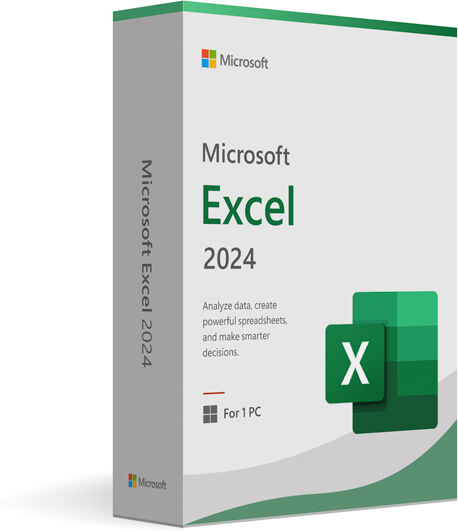
Microsoft Excel 2024 for WindowsMicrosoft Excel 2024 for Windows is the latest iteration of the renowned spreadsheet software trusted by millions across the UK for personal, educational, and professional use. Designed specifically for Windows operating systems, this version maintains the familiar interface while incorporating enhanced features that streamline your workflow and boost productivity. Whether you are managing complex financial models, analysing data trends, or simply organising your daily tasks, Excel 2024 offers a versatile environment tailored to meet diverse needs. It supports a comprehensive range of functions and formulas, allowing you to perform calculations with precision and ease. The improved calculation engine ensures faster processing, even when dealing with large datasets, helping you save valuable time. One of the standout enhancements in Excel 2024 is the upgraded data visualisation tools. New chart types and intuitive formatting options enable you to present your information clearly and professionally. Creating dashboards or reports to share insights with colleagues or clients is now more straightforward, with visually appealing templates and customisation capabilities. Collaboration is also at the heart of this version. Excel 2024 integrates seamlessly with Microsoft's cloud services, making it easier than ever to work alongside your team in real time. You can share your workbooks securely, track changes, and combine inputs without confusion or data loss, all within the familiar Excel environment. The software also includes smart features powered by artificial intelligence, such as predictive suggestions and error checking, which aid in reducing mistakes and improving accuracy. Additionally, the enhanced accessibility tools ensure that Excel remains usable for people of all abilities, supporting keyboard navigation and screen readers. Installation and activation are straightforward, allowing you to get started quickly on your Windows PC. With Microsoft Excel 2024, you gain access to a robust, industry-standard spreadsheet program that continues to set the benchmark for data organisation and analysis in the UK market. For professionals in finance, accounting, marketing, education, and beyond, Excel 2024 remains an indispensable tool. Its compatibility with previous Excel files ensures you can easily open, edit, and save workbooks without compatibility issues. Moreover, integration with other Microsoft Office applications allows for efficient workflows when creating complex documents or presentations. In summary, Microsoft Excel 2024 for Windows combines familiar ease of use with modern enhancements designed to optimise your productivity. Its powerful features, collaborative tools, and improved data visualisation capabilities make it a valuable addition for anyone requiring reliable spreadsheet software in the UK. Whether for home use or enterprise environments, Excel 2024 provides a dependable platform for all your data management needs.99,99 £*Shipping: 0,00 £Secure redirect to the provider
-
Microsoft Access 2024 for WindowsMicrosoft Access 2024 for Windows is a powerful database management solution designed to help individuals and businesses create, manage, and analyze data with ease. This latest edition of Microsoft Access is tailored for Windows users who need an intuitive and effective tool to organize information, streamline workflows, and build custom applications without requiring extensive programming knowledge. With Microsoft Access 2024, you can build professional-quality databases quickly, using ready-made templates or starting from scratch to suit your unique requirements. The software offers a versatile environment where you can design tables, queries, forms, and reports that facilitate efficient data entry, retrieval, and analysis. Whether you are managing customer information, inventory, project details, or any other type of data, Access provides a robust platform that scales from small personal projects to larger organisational needs. The integration with the wider Microsoft 365 ecosystem ensures seamless compatibility with other Office applications such as Excel, Word, and Outlook. This means that you can easily import and export data, automate workflows, and generate comprehensive reports that combine data from various sources. Enhanced connectivity options allow you to link your Access database to cloud services and SQL Server databases, supporting collaborative work and data sharing across teams. Microsoft Access 2024 for Windows comes with improved performance and reliability, enabling you to handle larger datasets and more complex queries efficiently. Its user-friendly interface is designed for both new and experienced database users, with helpful wizards and tools that guide you through every step of database creation and management. The customizable forms and reports can be tailored to your specific business processes, making data presentation clearer and more actionable. Security is a priority in Microsoft Access 2024, with features that help you protect sensitive information through role-based permissions and encryption capabilities. You can control who has access to your databases and what actions they can perform, helping to maintain data integrity and confidentiality. Ideal for small to medium-sized businesses, educators, and professionals who need a flexible data management system, Microsoft Access 2024 supports productivity enhancements by automating repetitive tasks using macros and Visual Basic for Applications (VBA). This allows you to create sophisticated applications that reduce manual work and increase operational efficiency. Available now at Omega Keys UK, Microsoft Access 2024 for Windows is ready to become a central part of your data management toolkit. Whether you are upgrading from a previous version or using Access for the first time, this software offers a comprehensive, well-supported environment to unlock the full potential of your data. Explore the capabilities of Microsoft Access 2024 to create intuitive databases that...59,99 £*Shipping: 0,00 £Secure redirect to the provider
-
Which smartwatch supports Microsoft Office Word?
As of now, the Apple Watch does not support Microsoft Office Word. However, there are other smartwatches that are compatible with Microsoft Office Word, such as the Samsung Galaxy Watch and the Fitbit Versa. These smartwatches allow users to view and edit Word documents directly from their wrist, making it convenient for users who need to access and work on Word documents on the go. **
-
How can one repair Microsoft Word?
To repair Microsoft Word, you can try a few troubleshooting steps. First, you can try restarting your computer to see if that resolves the issue. If that doesn't work, you can try repairing the Microsoft Office installation by going to the Control Panel, selecting Programs, and then choosing Microsoft Office. From there, you can select Repair to fix any issues with the installation. If the problem persists, you can also try reinstalling Microsoft Office altogether. **
-
Can Microsoft Word open ODP files?
No, Microsoft Word cannot open ODP files directly. ODP files are created and used by presentation software like LibreOffice Impress or OpenOffice Impress. To open an ODP file in Microsoft Word, you would need to first convert the file to a compatible format like PPTX. There are online converters available that can help with this conversion process. **
-
What are the system requirements for the Microsoft Flight Simulator 2024?
The system requirements for Microsoft Flight Simulator 2024 have not been officially released as of now. However, based on the previous versions of the game, it is expected that the game will require a relatively powerful computer with a modern processor, a dedicated graphics card, and a significant amount of RAM. Additionally, a fast internet connection will likely be necessary for downloading updates and accessing online features. As the game's release date approaches, Microsoft will likely provide detailed system requirements for players to ensure a smooth gaming experience. **
* All prices are inclusive of VAT and, if applicable, plus shipping costs. The offer information is based on the details provided by the respective shop and is updated through automated processes. Real-time updates do not occur, so deviations can occur in individual cases. ** Note: Parts of this content were created by AI.