Buy kidsroom.eu ?
We are moving the project
kidsroom.eu .
Are you interested in purchasing the domain
kidsroom.eu ?
domain@kv-gmbh.de · 0541-91531010
Buy kidsroom.eu ?
What's new from Microsoft in 2021?
In 2021, Microsoft has released several new products and updates. One of the most notable releases is Windows 11, the latest version of their operating system, which features a redesigned user interface and new productivity tools. Microsoft also introduced the Microsoft Viva platform, a new employee experience platform designed to help organizations enhance employee well-being and productivity. Additionally, Microsoft has continued to expand its cloud services with updates to Azure, Microsoft 365, and Teams, offering new features and capabilities to improve collaboration and communication for users. **
Has Microsoft Word expired?
No, Microsoft Word does not expire. Once you purchase a license for Microsoft Word, you can continue to use it indefinitely. However, if you have a subscription-based version of Microsoft Word through Microsoft 365, you will need to renew your subscription to continue using the software. **

Similar search terms for Microsoft-Word-2021
Top-Angebote
Products related to Microsoft-Word-2021:
-
Microsoft Office 2021 Professional Plus & Microsoft Visio 2021 LifetimeExclusive Bundle: Microsoft Office 2021 Professional Plus & Microsoft Visio 2021 – £25.33 Elevate your productivity with our exceptional bundle featuring Microsoft Office 2021 Professional Plus and Microsoft Visio 2021. This bundle provides you with comprehensive tools to enhance your work efficiency and create professional diagrams effortlessly. Microsoft Office 2021 Professional Plus: Programs Included: Outlook, Word, Excel, PowerPoint, Access, Publisher, Skype for Business. Platform: Windows Product Type: Full Version, One-time purchase Compatibility: Works with Windows 10 and Windows 11 Instant Delivery: Receive your product keys and download links via email immediately after purchase. Microsoft Visio Professional 2021: Features: Flexible editing, real-time presence indicators, simultaneous team editing, supports multiple data sources, data-driven diagramming, AutoCAD support. Platform: Windows / Windows Server Product Type: Full Version Instant Delivery: Receive your product key and download link via email immediately after purchase. Bundle Info: Price: £25.33 Delivery: Instant via email Support: Full customer support available from Microsoft Note: This bundle is for Windows systems only. FAQs: Q: Do I get a download link for these applications? A: Yes, you will receive links to download both Office and Visio directly from Microsoft’s official site. Q: Are these keys genuine and legitimate? A: Yes, both keys are 100% authentic and guaranteed. Q: Can I get customer support if needed? A: Yes, you can get support directly from Microsoft.23,40 £*Shipping: 0,00 £Secure redirect to the provider
-
Microsoft Outlook 2021 for WindowsMicrosoft Outlook 2021 for Windows is a robust and reliable email management application designed to keep you organised and connected at work and beyond. As part of the Microsoft Office family, Outlook 2021 brings a familiar yet enhanced experience tailored for Windows users, helping you efficiently handle emails, calendars, contacts, and tasks in one streamlined platform. With Outlook 2021, you can manage multiple email accounts seamlessly, consolidating your communications into a single inbox for easy access. The user interface balances simplicity with powerful features, making it straightforward for both business professionals and personal users to stay on top of their messages and schedules without unnecessary complications. The calendar function is intuitive and versatile, allowing you to schedule meetings, set reminders, and coordinate appointments effortlessly. Integration with contacts lets you store detailed information and communicate quickly, while the task management tool helps prioritise and track your to-dos effectively. Whether organising team meetings, following up on client emails, or keeping personal appointments, Outlook 2021 provides the tools you need in one unified environment. Enhanced security features protect your communications from common online threats, safeguarding sensitive information and giving you peace of mind. Additionally, Outlook 2021 supports a range of add-ins and customisations, enabling you to tailor the application to your workflow and preferences. Designed specifically for Windows, this version of Outlook takes advantage of the operating system’s capabilities, ensuring smooth performance and compatibility with other Microsoft Office applications. It integrates well with Microsoft Teams, OneDrive, and SharePoint, fostering better collaboration and file sharing within professional environments. Whether you’re managing a busy inbox, coordinating team schedules, or organising your daily tasks, Microsoft Outlook 2021 for Windows is built to support your productivity needs. Its balance of familiar functionality and modern enhancements makes it a dependable choice for users seeking a comprehensive email and personal information manager on a Windows platform. Omega Keys UK offers Microsoft Outlook 2021 for Windows with immediate availability, providing a straightforward solution for individuals and businesses ready to upgrade their communication tools. Investing in this application ensures you have a trusted partner for your email and scheduling demands, backed by Microsoft’s long-standing reputation for quality software.79,99 £*Shipping: 0,00 £Secure redirect to the provider
-
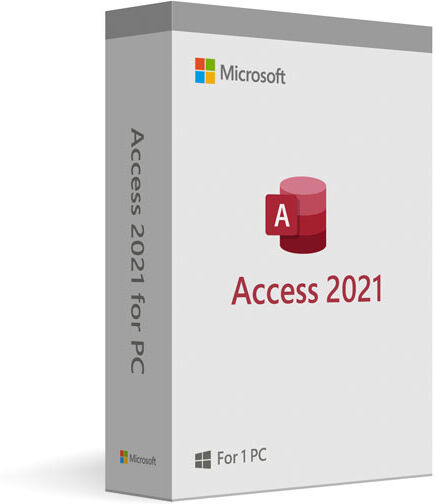
Microsoft Access 2021 for WindowsMicrosoft Access 2021 for Windows is a powerful database management tool designed to help you organize, manage, and analyse your data with efficiency and precision. This latest version from Microsoft offers an enhanced experience tailored for Windows users who require reliable, user-friendly software to build and manage customised databases. Access 2021 provides a seamless environment for creating sophisticated applications without requiring extensive programming knowledge. Whether you are a small business owner looking to track your inventory and customer information, a professional managing complex datasets, or an enthusiast developing a personal data project, Access offers the tools to streamline your workflow. With Microsoft Access 2021, you can build databases using its intuitive interface, which supports the creation of tables, queries, forms, and reports all designed to make data entry, retrieval, and presentation straightforward. The software supports integration with other Microsoft 365 apps, allowing you to import and export data with Excel, share information through Outlook, and link into SharePoint for collaborative work environments. This edition brings performance improvements and new features that enhance database design and user experience. It supports a variety of data types and offers improved support for large datasets, ensuring your projects can grow without compromising on speed or responsiveness. The updated tools also streamline app development, making it easier to create professional-quality solutions tailored to your specific needs. Microsoft Access 2021 is designed exclusively for Windows, ensuring compatibility and optimisation for this operating system. Installation is straightforward, and once set up, you can begin designing databases immediately with access to a variety of templates that can be customised to suit different sectors and purposes. This software is ideal for users who want to leverage the power of database management without the complexity often associated with such systems. Its user-friendly design, combined with Microsoft's robust support and frequent updates, means you can rely on Access 2021 to manage your data securely and efficiently. By choosing Microsoft Access 2021 from Omega Keys UK, you gain access to genuine software that integrates smoothly with your existing Windows environment. This product is in stock and ready to help you unlock the full potential of your data management projects. If you require a solution that bridges the gap between data management and application development, Microsoft Access 2021 for Windows is a compelling choice. Its balance of simplicity and power makes it a trusted tool for professionals and businesses across the UK.79,99 £*Shipping: 0,00 £Secure redirect to the provider
-
Microsoft Office 2021 - Windows PCMicrosoft Office 2021 Discover the most comprehensive and advanced productivity suite with Microsoft Office 2021. Perfect for professionals, students and home users, this updated version offers powerful tools and innovative features to optimise your day-to-day work. What you get: product key or serial number + download link + free gift Main features: Word 2021 Create professional documents with advanced formatting capabilities and built-in collaboration tools. Excel 2021 Analyses and visualises your data with new functions, improved graphics and greater computing power. PowerPoint 2021 : Create engaging and dynamic presentations with new visual effects and real-time collaboration tools. Outlook 2021 Manage your emails, calendars and contacts efficiently with an improved interface and new search functionality. Access 2021 : Create and manage powerful databases with ease, thanks to intuitive tools and advanced functionality. Publisher 2021 : Design and publish high-quality marketing materials with professional layout tools. What’s new in Office 2021: Improved collaboration Work on documents shared in real time with colleagues and friends, thanks to co-authoring features. Cloud integration Save and access your files from anywhere with seamless integration with OneDrive. App updates : Enjoy the new features and improvements to the applications that make your work easier and faster. Greater safety : Protect your data and personal information with advanced security measures. System requirements: Operating system : Windows 10 Processor : 1.6 GHz or faster, dual-core RAM : 4 GB (64-bit), 2 GB (32-bit) Disk space : 4 GB of available space Display : Resolution 1280 x 768 Why choose Microsoft Office 2021: Reliability Industry-leading software with decades of innovation and improvements. Global support : Access to support and training resources from Microsoft and the user community. Compatibility : Full compatibility with previous versions and other productivity software. Transform the way you work with Microsoft Office 2021. Buy now and start making the most of your productivity!8,79 £*Shipping: 0,00 £Secure redirect to the provider



-
How can you teach Microsoft Word a new word?
To teach Microsoft Word a new word, you can simply type the word into a document and then right-click on it. From the options that appear, select "Add to Dictionary" or "Add to Autocorrect Options" to ensure that Word recognizes the word as correctly spelled in the future. You can also go to the "File" menu, select "Options," then "Proofing," and finally "Custom Dictionaries" to add the word to the dictionary manually. By following these steps, you can easily teach Microsoft Word a new word and prevent it from being marked as a spelling error in your documents. **
-
How can one teach Microsoft Word a new word?
To teach Microsoft Word a new word, you can simply right-click on the word that is underlined as misspelled and select "Add to Dictionary." This will add the word to Word's dictionary so it won't be flagged as misspelled in the future. Additionally, you can go to the "File" menu, select "Options," then choose "Proofing" and click on "Custom Dictionaries." From there, you can add the new word to the custom dictionary. This way, Word will recognize the word as correctly spelled. **
-
Where can I download Microsoft Word?
You can download Microsoft Word by purchasing a subscription to Microsoft 365, which includes access to Word, Excel, PowerPoint, and other Microsoft Office applications. You can also download the standalone version of Microsoft Word from the Microsoft website or from authorized retailers. Additionally, Microsoft Word is available for download on various app stores for mobile devices such as smartphones and tablets. **
-
Which smartwatch supports Microsoft Office Word?
As of now, the Apple Watch does not support Microsoft Office Word. However, there are other smartwatches that are compatible with Microsoft Office Word, such as the Samsung Galaxy Watch and the Fitbit Versa. These smartwatches allow users to view and edit Word documents directly from their wrist, making it convenient for users who need to access and work on Word documents on the go. **

How can one repair Microsoft Word?
To repair Microsoft Word, you can try a few troubleshooting steps. First, you can try restarting your computer to see if that resolves the issue. If that doesn't work, you can try repairing the Microsoft Office installation by going to the Control Panel, selecting Programs, and then choosing Microsoft Office. From there, you can select Repair to fix any issues with the installation. If the problem persists, you can also try reinstalling Microsoft Office altogether. **
Can Microsoft Word open ODP files?
No, Microsoft Word cannot open ODP files directly. ODP files are created and used by presentation software like LibreOffice Impress or OpenOffice Impress. To open an ODP file in Microsoft Word, you would need to first convert the file to a compatible format like PPTX. There are online converters available that can help with this conversion process. **
Top-Angebote
Products related to Microsoft-Word-2021:
-
Microsoft Word (Windows)Microsoft Word is the text editor available as a one-time purchase in several editions: choose between Word 2016, Word 2019, Word 2021 and Word 2024. All versions are perpetual licences, with no subscriptions or hidden costs. They give you complete offline access to Microsoft's most powerful and reliable word processor, used by millions of users to write documents, create CVs, use professional templates and manage business content. Whichever version you choose, Word offers a modern and intuitive interface with all the tools you need for professional productivity on Windows PCs. IMPORTANT: Microsoft Word versions are only available for Windows operating systems (operating system compatibility varies depending on the version). If you are a Mac user, you can opt for the complete Office suite in the 2021 Home & Business, 2024 Home & Business or 2024 Standard versions. If instead you are looking for a solution compatible with multiple devices, online and cloud-based, a Microsoft 365 Personal subscription guarantees you real-time collaboration and OneDrive storage. What is included with Microsoft Word? With your order of a Microsoft Word licence, you will receive: A perpetual product key – one-time payment, no renewals Clear instructions for installation and activation by e-mail Free customer support from our team of experts What can you do with Microsoft Word? Microsoft Word is the ideal software for creating and editing documents. Perfect for CVs, school assignments, business letters or personal projects. Moreover, it is easy to use for everyone thanks to the attention paid to user experience. This one-time licence guarantees you complete offline access on your Windows PC, with no subscriptions. Perfect for students, professionals and users who use it on a daily basis and who want a reliable word processor, with no cloud dependency whatsoever. Microsoft Word includes: Ready-made templates for CVs, letters and reports Spelling and grammar correction tools Tools for adding images, drawings and tables Coloured titles and shapes with WordArt Saving and opening files in the most common formats such as DOC, DOCX and TXT Guide to versions: which Microsoft Word should you choose? If you are unsure which version of Microsoft Word to choose, the table below gives you additional details on Windows compatibility and main features of each edition. Version Compatibility Main features Word 2016 Windows 10, 11 Ideal for older systems, familiar interface, proven reliability Word 2019 Windows 10, 11 Improved performance, new icons, extended accessibility support Word 2021 Windows 10, 11 Graphic improvements, dark mode integration, updated collaboration tools, OCR, OneDrive and SharePoint integration Word 2024 Windows 11 Modern experience, improved speed, intelligent AI suggestions, Microsoft ecosystem integrations Before choosing a version of Word, make sure it is compatible with your operating system. If you are unsure about compatibility, contact our customer...51,90 £*Shipping: 0,00 £Secure redirect to the provider
-
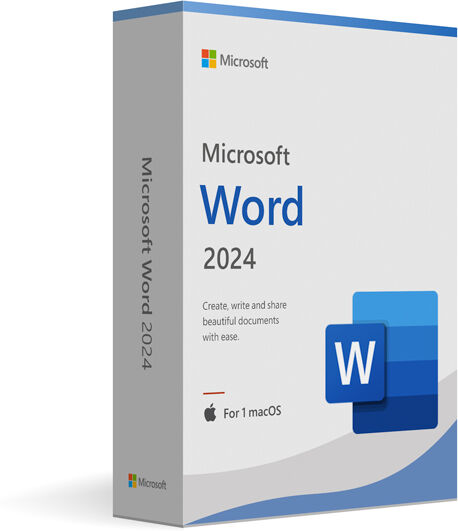
Microsoft Word 2024 for macOSMicrosoft Word 2024 for macOS is the latest iteration of the world-renowned word processing software, tailored specifically for Apple Mac users. Designed to seamlessly integrate with the macOS environment, it offers a powerful, intuitive platform for creating, editing, and sharing documents with ease and efficiency. Built with user experience in mind, Word 2024 introduces enhanced features that help you express your ideas clearly and professionally. Whether you are drafting reports, composing letters, or assembling complex manuscripts, the streamlined interface and robust toolset empower you to produce polished documents quickly. The application supports a wide range of document formats, making it simple to open files from various sources and collaborate with colleagues who use different software. Its compatibility with macOS ensures that you benefit from smooth performance, touch bar integration on supported MacBooks, and support for Retina displays, delivering crisp text and graphics. Microsoft Word 2024 also offers an array of templates and design options, enabling you to start projects with a professional look straight away. From resumes and newsletters to flyers and brochures, you can select from numerous styles or customise your own to suit your specific needs. Advanced editing tools like spellcheck, grammar suggestions, and thesaurus are built-in to assist with accuracy and clarity. Collaboration is made easier with real-time co-authoring features. You can work simultaneously with team members, track changes, add comments, and revert to previous versions. This ensures that teamwork is efficient and everyone stays updated, whether you are working remotely or in the office. Security and privacy are paramount in Word 2024. Your documents can be safeguarded with password protection, and Microsoft’s trusted security protocols help keep your information confidential. Integration with OneDrive allows you to back up your files automatically and access them across multiple devices, ensuring your work is always available when you need it. Installing Microsoft Word 2024 on your Mac is straightforward, and the software is designed to make use of the latest macOS features for optimal functionality. The familiar ribbon interface has been refined for Mac users, ensuring an intuitive learning curve and making it easy to discover powerful tools hidden in plain sight. Whether you are a student, professional, or creative, Microsoft Word 2024 for macOS offers a comprehensive solution for all your document needs. Its blend of traditional word processing capabilities with modern enhancements delivers a productive and enjoyable user experience. In summary, Microsoft Word 2024 for macOS is an essential tool for anyone requiring reliable, versatile, and sophisticated document creation software on a Mac. Its rich feature set, combined with seamless macOS integration, ensures that your writing and editing tasks are completed efficiently and effectively.89,99 £*Shipping: 0,00 £Secure redirect to the provider
-
Microsoft Office 2021 Professional Plus & Microsoft Visio 2021 LifetimeExclusive Bundle: Microsoft Office 2021 Professional Plus & Microsoft Visio 2021 – £25.33 Elevate your productivity with our exceptional bundle featuring Microsoft Office 2021 Professional Plus and Microsoft Visio 2021. This bundle provides you with comprehensive tools to enhance your work efficiency and create professional diagrams effortlessly. Microsoft Office 2021 Professional Plus: Programs Included: Outlook, Word, Excel, PowerPoint, Access, Publisher, Skype for Business. Platform: Windows Product Type: Full Version, One-time purchase Compatibility: Works with Windows 10 and Windows 11 Instant Delivery: Receive your product keys and download links via email immediately after purchase. Microsoft Visio Professional 2021: Features: Flexible editing, real-time presence indicators, simultaneous team editing, supports multiple data sources, data-driven diagramming, AutoCAD support. Platform: Windows / Windows Server Product Type: Full Version Instant Delivery: Receive your product key and download link via email immediately after purchase. Bundle Info: Price: £25.33 Delivery: Instant via email Support: Full customer support available from Microsoft Note: This bundle is for Windows systems only. FAQs: Q: Do I get a download link for these applications? A: Yes, you will receive links to download both Office and Visio directly from Microsoft’s official site. Q: Are these keys genuine and legitimate? A: Yes, both keys are 100% authentic and guaranteed. Q: Can I get customer support if needed? A: Yes, you can get support directly from Microsoft.23,40 £*Shipping: 0,00 £Secure redirect to the provider
-
Microsoft Outlook 2021 for WindowsMicrosoft Outlook 2021 for Windows is a robust and reliable email management application designed to keep you organised and connected at work and beyond. As part of the Microsoft Office family, Outlook 2021 brings a familiar yet enhanced experience tailored for Windows users, helping you efficiently handle emails, calendars, contacts, and tasks in one streamlined platform. With Outlook 2021, you can manage multiple email accounts seamlessly, consolidating your communications into a single inbox for easy access. The user interface balances simplicity with powerful features, making it straightforward for both business professionals and personal users to stay on top of their messages and schedules without unnecessary complications. The calendar function is intuitive and versatile, allowing you to schedule meetings, set reminders, and coordinate appointments effortlessly. Integration with contacts lets you store detailed information and communicate quickly, while the task management tool helps prioritise and track your to-dos effectively. Whether organising team meetings, following up on client emails, or keeping personal appointments, Outlook 2021 provides the tools you need in one unified environment. Enhanced security features protect your communications from common online threats, safeguarding sensitive information and giving you peace of mind. Additionally, Outlook 2021 supports a range of add-ins and customisations, enabling you to tailor the application to your workflow and preferences. Designed specifically for Windows, this version of Outlook takes advantage of the operating system’s capabilities, ensuring smooth performance and compatibility with other Microsoft Office applications. It integrates well with Microsoft Teams, OneDrive, and SharePoint, fostering better collaboration and file sharing within professional environments. Whether you’re managing a busy inbox, coordinating team schedules, or organising your daily tasks, Microsoft Outlook 2021 for Windows is built to support your productivity needs. Its balance of familiar functionality and modern enhancements makes it a dependable choice for users seeking a comprehensive email and personal information manager on a Windows platform. Omega Keys UK offers Microsoft Outlook 2021 for Windows with immediate availability, providing a straightforward solution for individuals and businesses ready to upgrade their communication tools. Investing in this application ensures you have a trusted partner for your email and scheduling demands, backed by Microsoft’s long-standing reputation for quality software.79,99 £*Shipping: 0,00 £Secure redirect to the provider
-
What's new from Microsoft in 2021?
In 2021, Microsoft has released several new products and updates. One of the most notable releases is Windows 11, the latest version of their operating system, which features a redesigned user interface and new productivity tools. Microsoft also introduced the Microsoft Viva platform, a new employee experience platform designed to help organizations enhance employee well-being and productivity. Additionally, Microsoft has continued to expand its cloud services with updates to Azure, Microsoft 365, and Teams, offering new features and capabilities to improve collaboration and communication for users. **
-
Has Microsoft Word expired?
No, Microsoft Word does not expire. Once you purchase a license for Microsoft Word, you can continue to use it indefinitely. However, if you have a subscription-based version of Microsoft Word through Microsoft 365, you will need to renew your subscription to continue using the software. **
-
How can you teach Microsoft Word a new word?
To teach Microsoft Word a new word, you can simply type the word into a document and then right-click on it. From the options that appear, select "Add to Dictionary" or "Add to Autocorrect Options" to ensure that Word recognizes the word as correctly spelled in the future. You can also go to the "File" menu, select "Options," then "Proofing," and finally "Custom Dictionaries" to add the word to the dictionary manually. By following these steps, you can easily teach Microsoft Word a new word and prevent it from being marked as a spelling error in your documents. **
-
How can one teach Microsoft Word a new word?
To teach Microsoft Word a new word, you can simply right-click on the word that is underlined as misspelled and select "Add to Dictionary." This will add the word to Word's dictionary so it won't be flagged as misspelled in the future. Additionally, you can go to the "File" menu, select "Options," then choose "Proofing" and click on "Custom Dictionaries." From there, you can add the new word to the custom dictionary. This way, Word will recognize the word as correctly spelled. **
Similar search terms for Microsoft-Word-2021
-
Microsoft Access 2021 for WindowsMicrosoft Access 2021 for Windows is a powerful database management tool designed to help you organize, manage, and analyse your data with efficiency and precision. This latest version from Microsoft offers an enhanced experience tailored for Windows users who require reliable, user-friendly software to build and manage customised databases. Access 2021 provides a seamless environment for creating sophisticated applications without requiring extensive programming knowledge. Whether you are a small business owner looking to track your inventory and customer information, a professional managing complex datasets, or an enthusiast developing a personal data project, Access offers the tools to streamline your workflow. With Microsoft Access 2021, you can build databases using its intuitive interface, which supports the creation of tables, queries, forms, and reports all designed to make data entry, retrieval, and presentation straightforward. The software supports integration with other Microsoft 365 apps, allowing you to import and export data with Excel, share information through Outlook, and link into SharePoint for collaborative work environments. This edition brings performance improvements and new features that enhance database design and user experience. It supports a variety of data types and offers improved support for large datasets, ensuring your projects can grow without compromising on speed or responsiveness. The updated tools also streamline app development, making it easier to create professional-quality solutions tailored to your specific needs. Microsoft Access 2021 is designed exclusively for Windows, ensuring compatibility and optimisation for this operating system. Installation is straightforward, and once set up, you can begin designing databases immediately with access to a variety of templates that can be customised to suit different sectors and purposes. This software is ideal for users who want to leverage the power of database management without the complexity often associated with such systems. Its user-friendly design, combined with Microsoft's robust support and frequent updates, means you can rely on Access 2021 to manage your data securely and efficiently. By choosing Microsoft Access 2021 from Omega Keys UK, you gain access to genuine software that integrates smoothly with your existing Windows environment. This product is in stock and ready to help you unlock the full potential of your data management projects. If you require a solution that bridges the gap between data management and application development, Microsoft Access 2021 for Windows is a compelling choice. Its balance of simplicity and power makes it a trusted tool for professionals and businesses across the UK.79,99 £*Shipping: 0,00 £Secure redirect to the provider
-
Microsoft Office 2021 - Windows PCMicrosoft Office 2021 Discover the most comprehensive and advanced productivity suite with Microsoft Office 2021. Perfect for professionals, students and home users, this updated version offers powerful tools and innovative features to optimise your day-to-day work. What you get: product key or serial number + download link + free gift Main features: Word 2021 Create professional documents with advanced formatting capabilities and built-in collaboration tools. Excel 2021 Analyses and visualises your data with new functions, improved graphics and greater computing power. PowerPoint 2021 : Create engaging and dynamic presentations with new visual effects and real-time collaboration tools. Outlook 2021 Manage your emails, calendars and contacts efficiently with an improved interface and new search functionality. Access 2021 : Create and manage powerful databases with ease, thanks to intuitive tools and advanced functionality. Publisher 2021 : Design and publish high-quality marketing materials with professional layout tools. What’s new in Office 2021: Improved collaboration Work on documents shared in real time with colleagues and friends, thanks to co-authoring features. Cloud integration Save and access your files from anywhere with seamless integration with OneDrive. App updates : Enjoy the new features and improvements to the applications that make your work easier and faster. Greater safety : Protect your data and personal information with advanced security measures. System requirements: Operating system : Windows 10 Processor : 1.6 GHz or faster, dual-core RAM : 4 GB (64-bit), 2 GB (32-bit) Disk space : 4 GB of available space Display : Resolution 1280 x 768 Why choose Microsoft Office 2021: Reliability Industry-leading software with decades of innovation and improvements. Global support : Access to support and training resources from Microsoft and the user community. Compatibility : Full compatibility with previous versions and other productivity software. Transform the way you work with Microsoft Office 2021. Buy now and start making the most of your productivity!8,79 £*Shipping: 0,00 £Secure redirect to the provider
-
Microsoft Office Standard 2021 MacMicrosoft Office Standard 2021 for Mac - Lifetime licence ATTENTION: The system requirement for this edition of Office is Monterey 12.7.6 at least or Ventura 13 and higher for MacOS. Microsoft Office Standard 2021 for Mac is a one-time purchase: no subscription, no recurring fees. Install it on your Mac and get lifetime access to essential Microsoft Office applications, including Word, Excel, PowerPoint, Outlook and OneNote. Whether you work from home, run a small business or simply want reliable Office applications without monthly payments, this version offers simplicity, performance and long-term value. Purchase your original Office 2021 licence for Mac from a certified Microsoft reseller Get an original Office 2021 Standard licence for Mac at a competitive price from PrimeLicense, a certified Microsoft partner chosen by thousands of customers. Our average rating is 4.8 out of 5 on Trustpilot, Google Reviews and Trusted Shops. What you get with your order: Lifetime product key: pay once and use the software forever Easy installation instructions (step-by-step) Free support from our support team Important This version is for Macs only and cannot be used on Windows devices. If you need a Windows version with additional applications such as Access and Publisher, see the Office 2024 Professional Plus page. If you prefer cloud storage and collaboration, choose Microsoft 365 Personal. If you are looking for older versions for Mac, please see: Office 2021 Home & Business for Mac Office 2019 Home & Business for Mac Office 2016 Home & Business for Mac Secure purchase and money-back guarantee Your purchase is protected by Trusted Shops purchase protection, which safeguards your transactions up to €2,500. Plus, we offer a 30-day money-back guarantee, so you can shop with confidence. All payments on our site are protected by SSL encryption. We use reputable providers like Stripe, Apple Pay and Google Pay to ensure a fast and secure checkout. Get your Office software in 3 easy steps Purchase MS Office 2021 Standard for Mac on PrimeLicense and receive your licence activation key and installation instructions by email immediately. Download the software from the official site Microsoft. Activate Office with your licence key and the software will be ready to use immediately. What Office Standard 2021 for Mac includes This version includes the essential Office applications, optimised for the latest macOS and Apple hardware: Word 2021 : creates professional, well-structured documents Excel 2021: Create smart spreadsheets with new features and improved performance PowerPoint 2021: create eye-catching presentations with modern transitions Outlook 2021: manage email, calendar and contacts with increased speed and synchronisation OneNote: capture ideas, tasks and notes on multiple devices with synchronisation via Microsoft account Office 2021: Standard vs Home & Business vs Microsoft 365 Function Office 2021 Standard (Mac) Office 2021 Home & Business (Mac) Microsoft...33,90 £*Shipping: 0,00 £Secure redirect to the provider
-
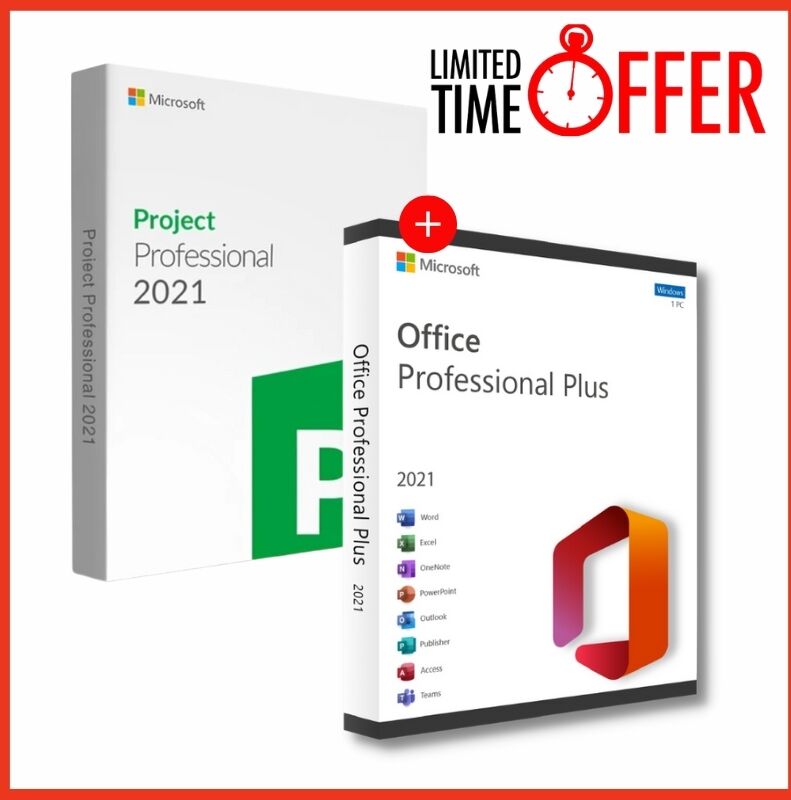
Microsoft Office 2021 + Project Professional 2021 - Lifetime Product KeysGet the ultimate productivity bundle with Microsoft Office 2021 Professional Plus and Microsoft Project Professional 2021. Perfect for businesses and individuals, this package equips you with powerful tools for office work and project management. Microsoft Office 2021 Professional Plus Features: Lifetime activation with a genuine product key. Includes essential programs: Outlook, Word, Excel, PowerPoint, Access, Publisher, and Skype for Business. Works on Windows 10 and Windows 11. No subscription or renewal fees. Instant email delivery after purchase. Microsoft Project Professional 2021 Features: Real-time collaboration with team members. Pre-built templates to get projects started faster. Advanced tools for tracking resources, tasks, and budgets. Fully compatible with Windows systems, including Windows Server. Lifetime product key with no expiration or renewal. Note: Both product keys are for Windows and Windows Server only. Mac is not supported.20,17 £*Shipping: 0,00 £Secure redirect to the provider
-
Where can I download Microsoft Word?
You can download Microsoft Word by purchasing a subscription to Microsoft 365, which includes access to Word, Excel, PowerPoint, and other Microsoft Office applications. You can also download the standalone version of Microsoft Word from the Microsoft website or from authorized retailers. Additionally, Microsoft Word is available for download on various app stores for mobile devices such as smartphones and tablets. **
-
Which smartwatch supports Microsoft Office Word?
As of now, the Apple Watch does not support Microsoft Office Word. However, there are other smartwatches that are compatible with Microsoft Office Word, such as the Samsung Galaxy Watch and the Fitbit Versa. These smartwatches allow users to view and edit Word documents directly from their wrist, making it convenient for users who need to access and work on Word documents on the go. **
-
How can one repair Microsoft Word?
To repair Microsoft Word, you can try a few troubleshooting steps. First, you can try restarting your computer to see if that resolves the issue. If that doesn't work, you can try repairing the Microsoft Office installation by going to the Control Panel, selecting Programs, and then choosing Microsoft Office. From there, you can select Repair to fix any issues with the installation. If the problem persists, you can also try reinstalling Microsoft Office altogether. **
-
Can Microsoft Word open ODP files?
No, Microsoft Word cannot open ODP files directly. ODP files are created and used by presentation software like LibreOffice Impress or OpenOffice Impress. To open an ODP file in Microsoft Word, you would need to first convert the file to a compatible format like PPTX. There are online converters available that can help with this conversion process. **
* All prices are inclusive of VAT and, if applicable, plus shipping costs. The offer information is based on the details provided by the respective shop and is updated through automated processes. Real-time updates do not occur, so deviations can occur in individual cases. ** Note: Parts of this content were created by AI.